Calendar and bookings
Book an appointment yourself
Staff bookings use the same live times Ava and Max offer, so nobody double-books. Max texts the customer a confirmation and reminders.
Steps
-
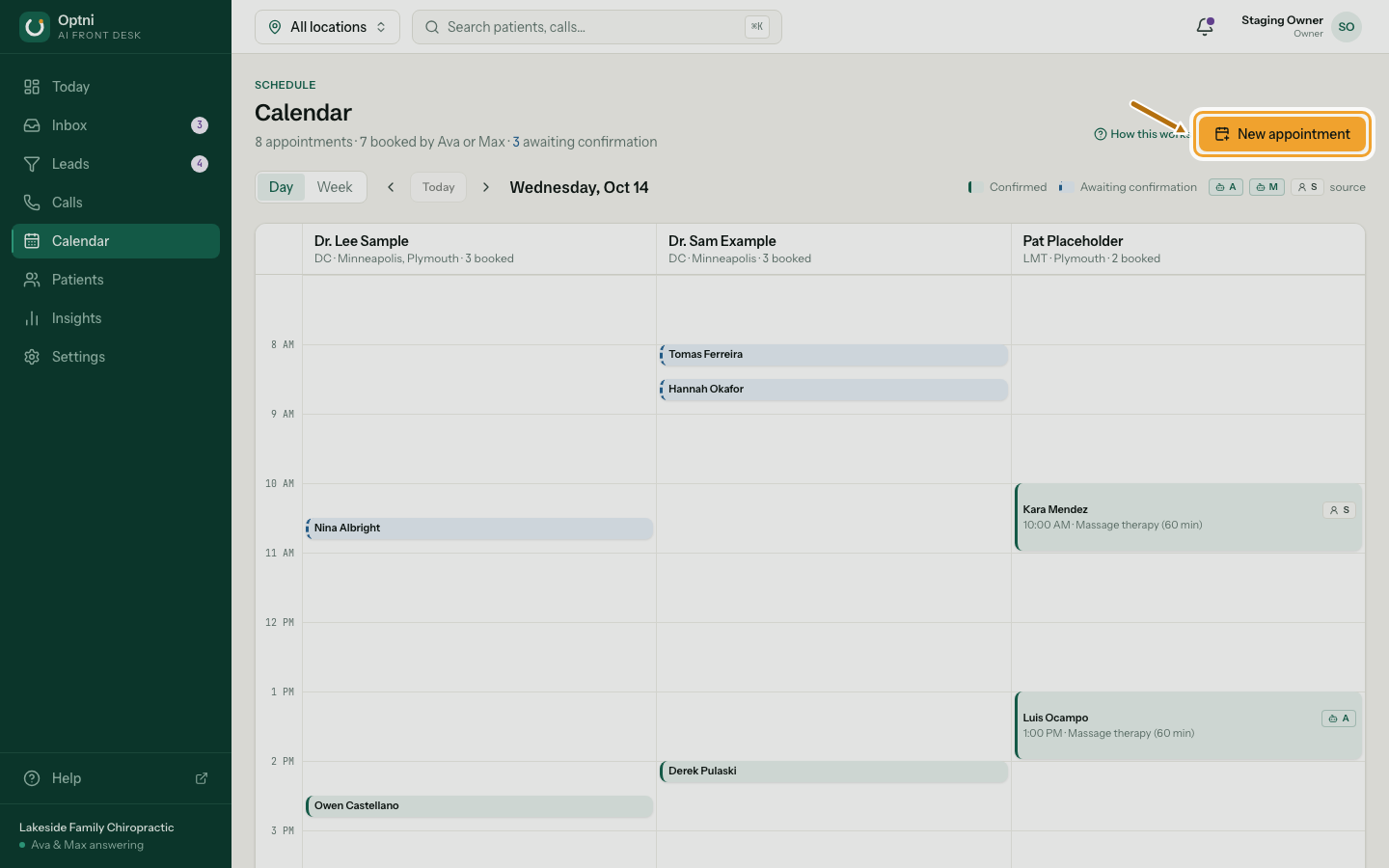
Step 1: In Calendar, select New appointment.
-
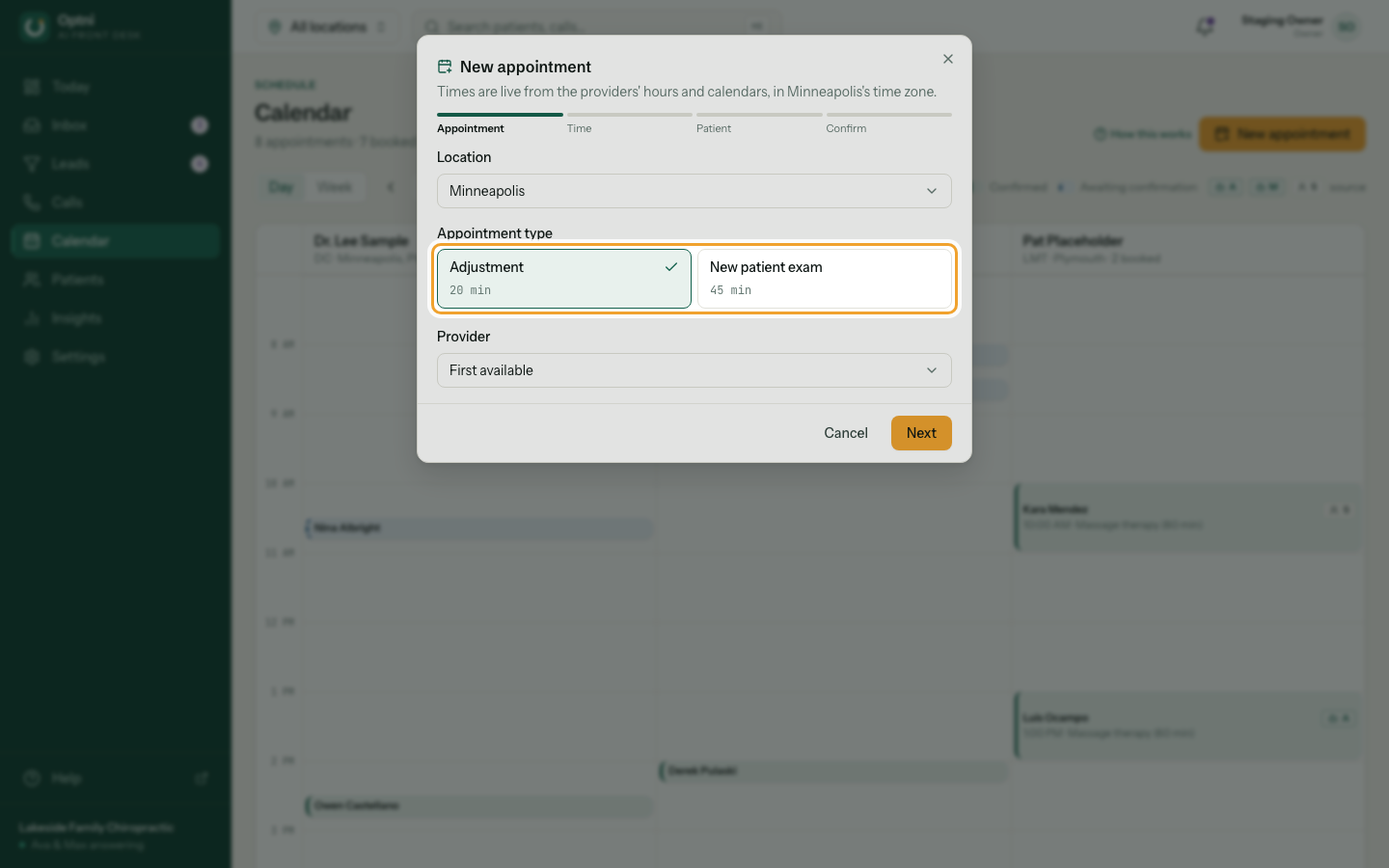
Step 2: Choose the location and the booking type, then select Next.
Leave the provider on First available, or pick one.
-
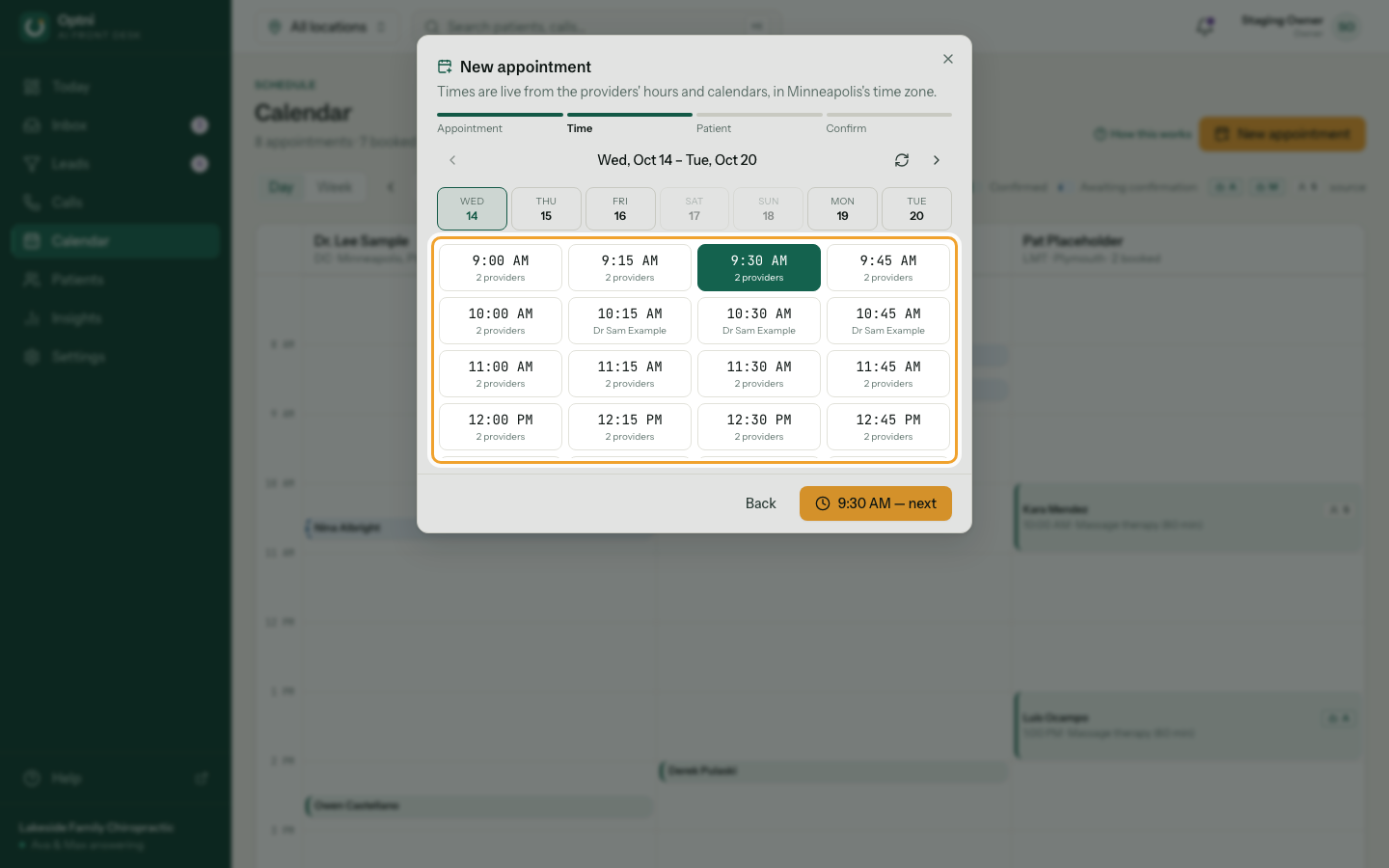
Step 3: Pick a time, then select the time button to continue.
Times come from the providers' hours and calendars, in the location's time zone. Use the arrows to see other weeks.
-
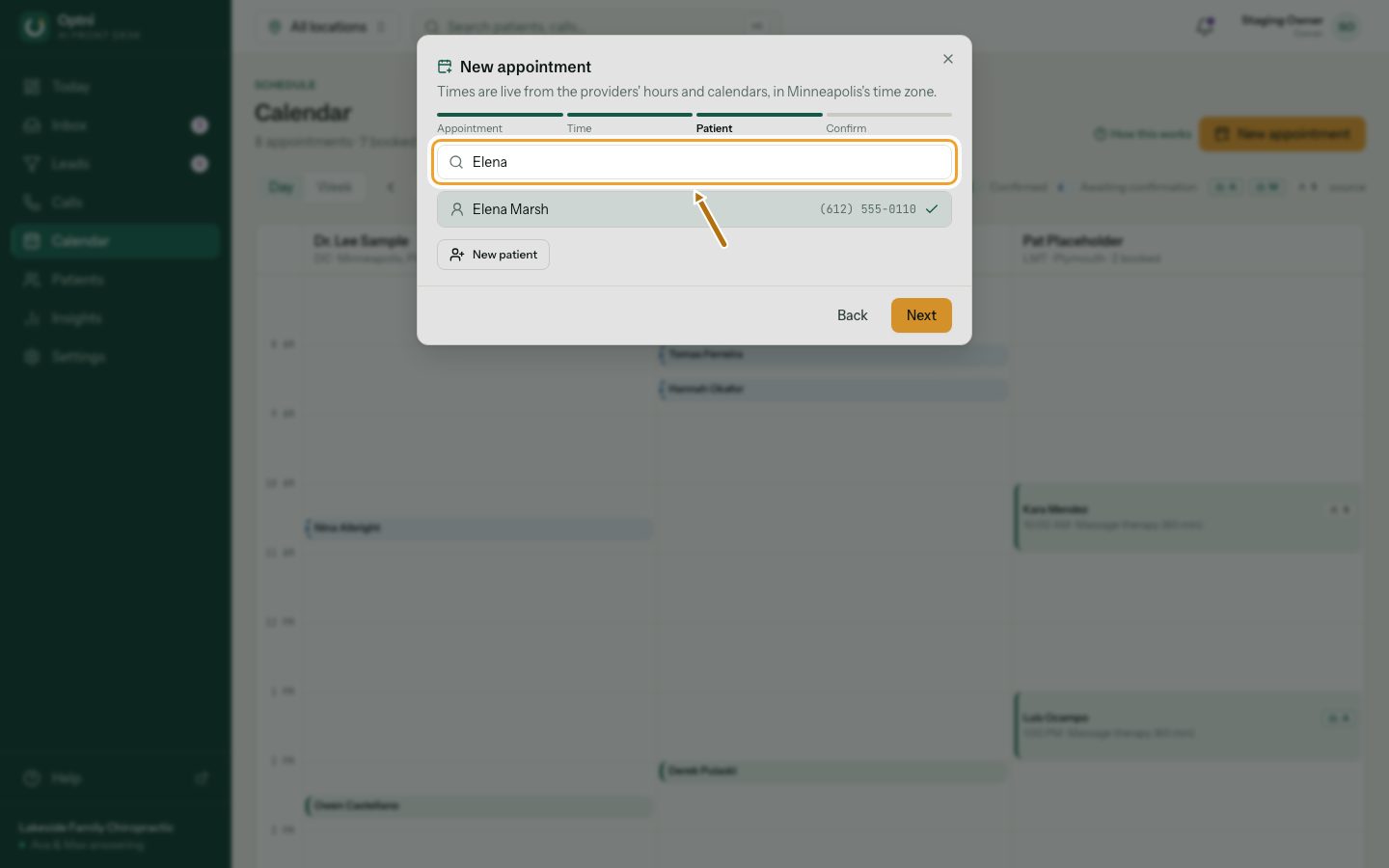
Step 4: Search for the customer, or select New to add one.
For a new customer, enter their name and mobile number.
-
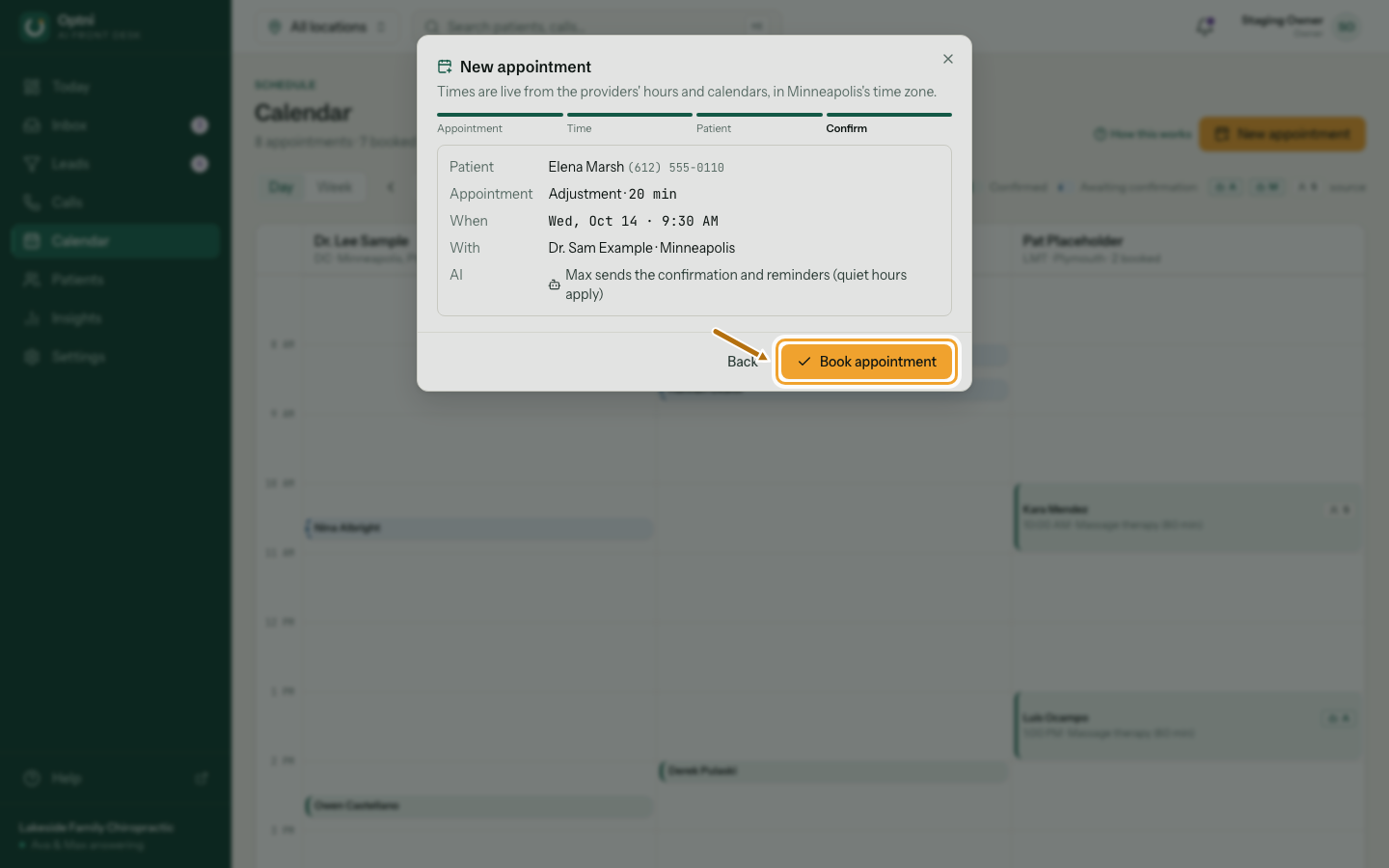
Step 5: Check the summary and select Book appointment.
Max sends the confirmation, then reminders 24 hours and 2 hours before (not during quiet hours).
Good to know
- Times respect each provider's weekly hours, the minimum notice, how far ahead people can book and the buffer after each booking.
- If someone else takes the time while you're choosing, you're sent back to pick another. See When a time is taken.
- You can also book from a contact's page.