Calendar and bookings
Providers (staff who take bookings) and their hours
Providers are the people customers book with — doctors, stylists, technicians, reps. Your industry picks the word. Ava and Max only offer times when a provider works, minus existing bookings and busy time on a connected calendar.
Steps
-
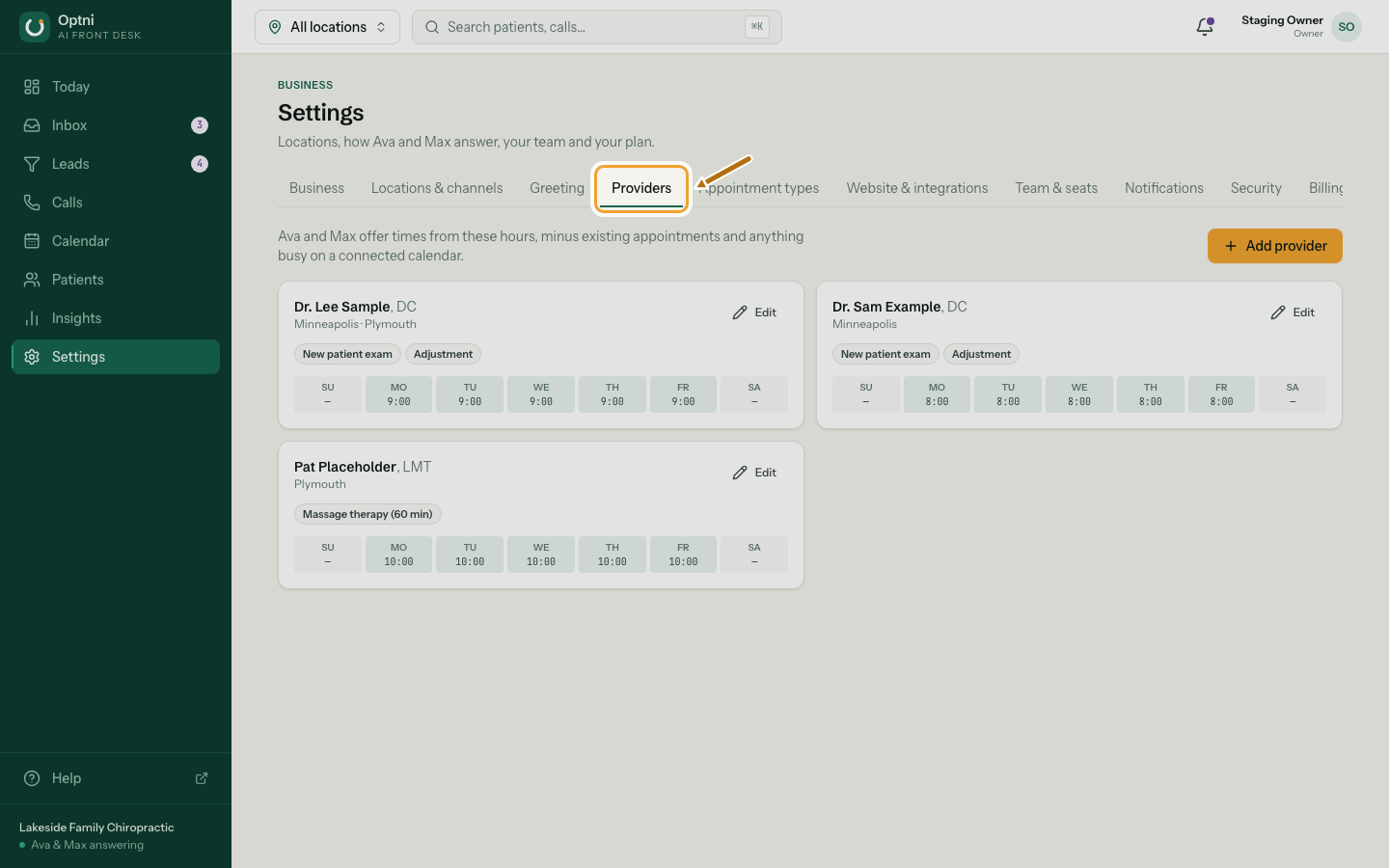
Step 1: Go to Settings → Providers.
The tab uses your word, for example Stylists or Technicians.
-
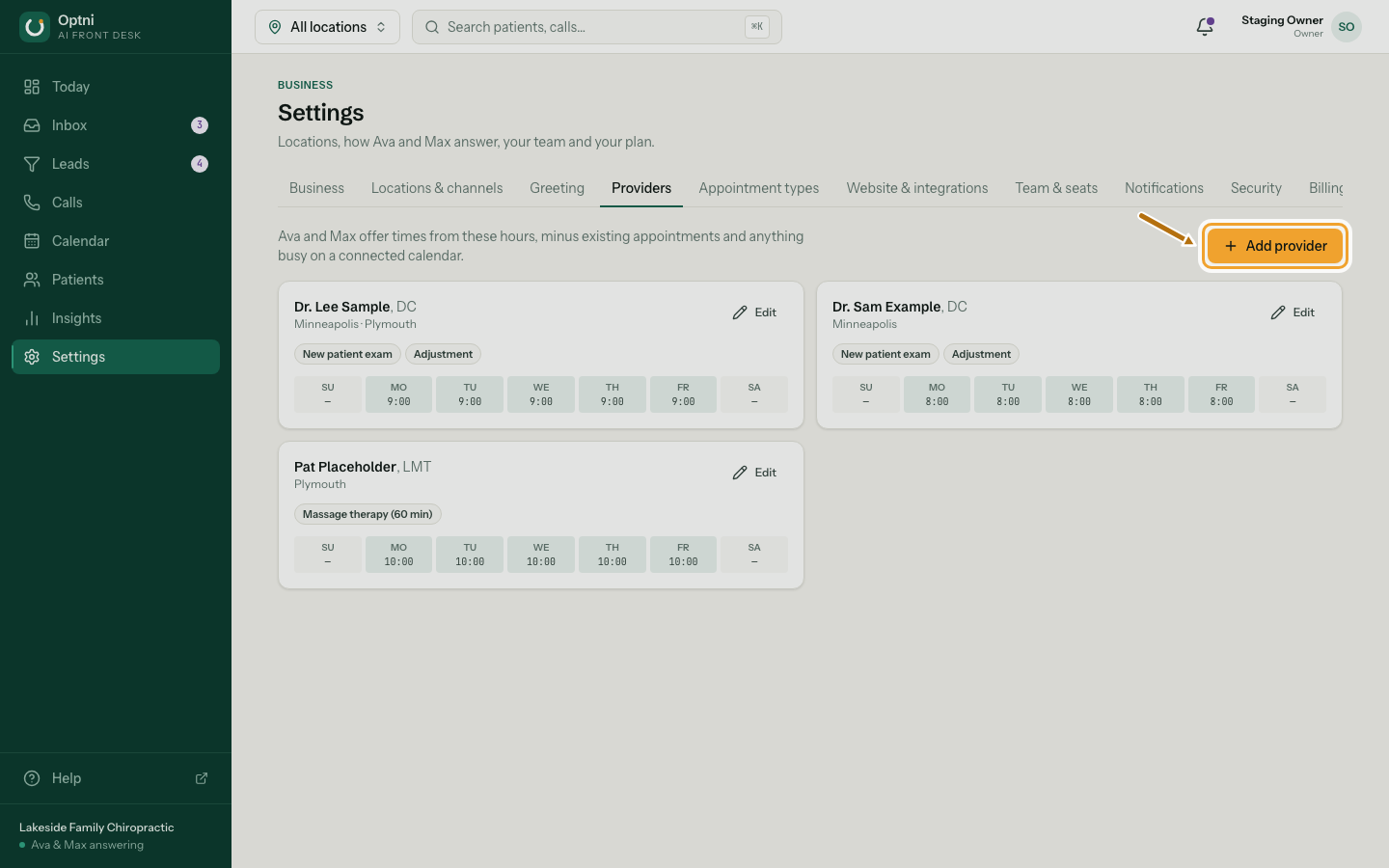
Step 2: Select Add provider, or Edit on an existing one.
-
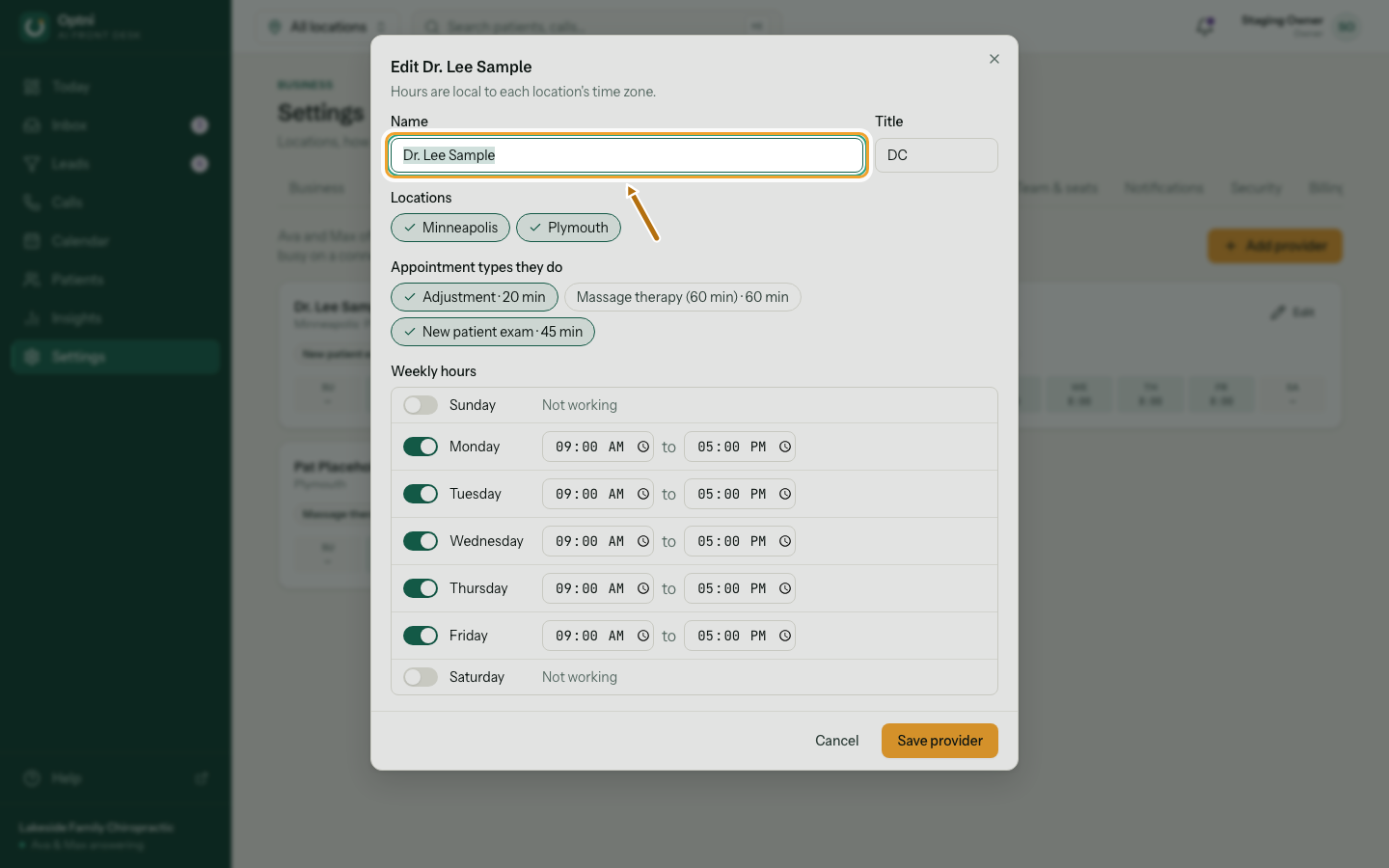
Step 3: Enter their name and title.
The title is optional, for example DC, Senior stylist or Lead tech. Ava says the name to callers.
-
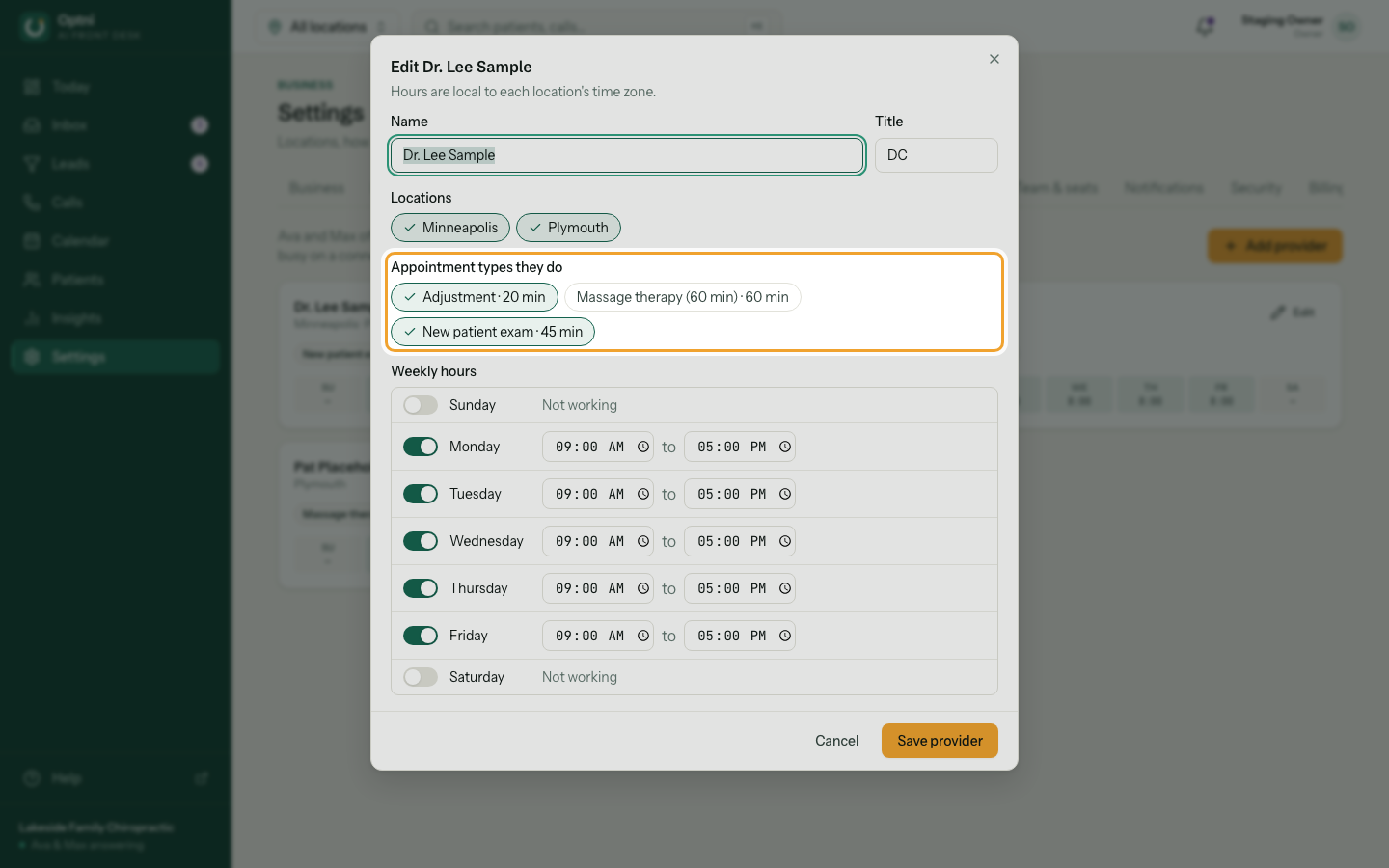
Step 4: Tick the locations they work at and the booking types they do.
-
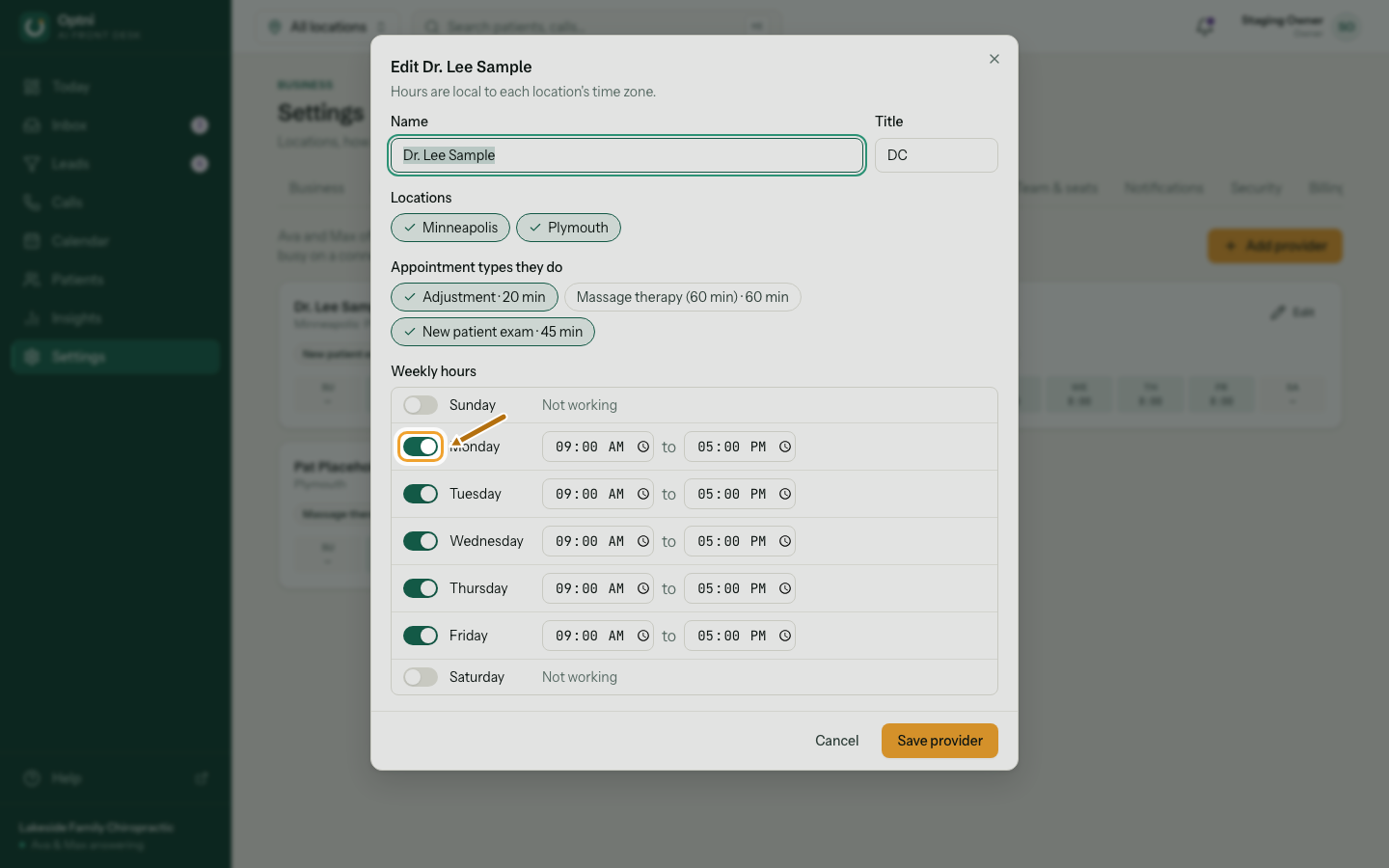
Step 5: Switch on the days they work and set start and end times.
Hours are in each location's time zone.
-
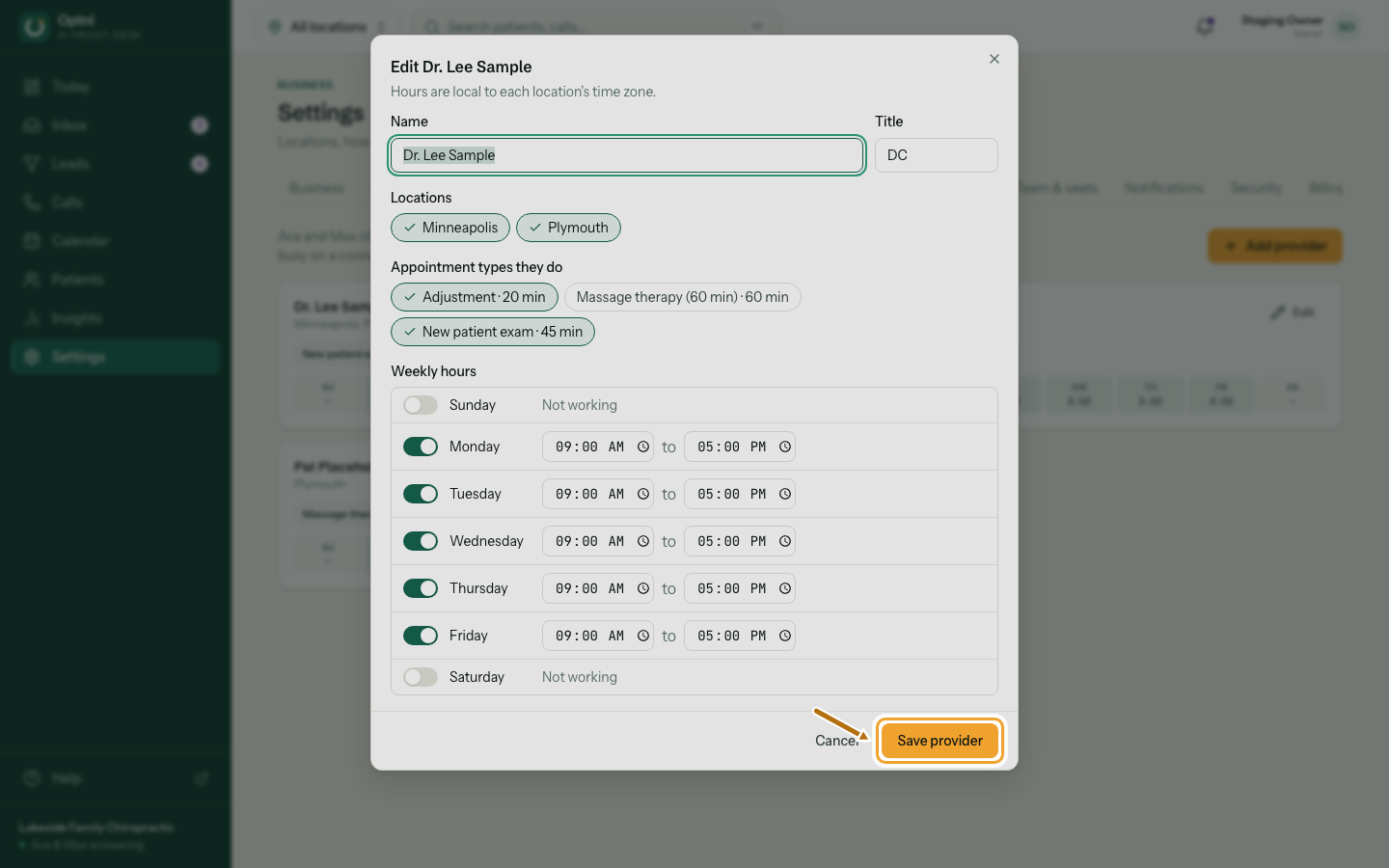
Step 6: Select Save provider (or Add provider).
Good to know
- Location opening hours and provider hours both count. A provider is only offered when the location is open and they work.
- If a provider's own calendar is connected (Google Calendar or Open Dental), their busy time there is never offered.
- Closed dates on a location block every provider there.