Calendar and bookings
When a time is taken while you book
Ava, Max and your team all book from the same times. If two people try to book the same time at once, only the first one gets it. Optni checks this at the very last moment, so nothing is ever double-booked.
Steps
-
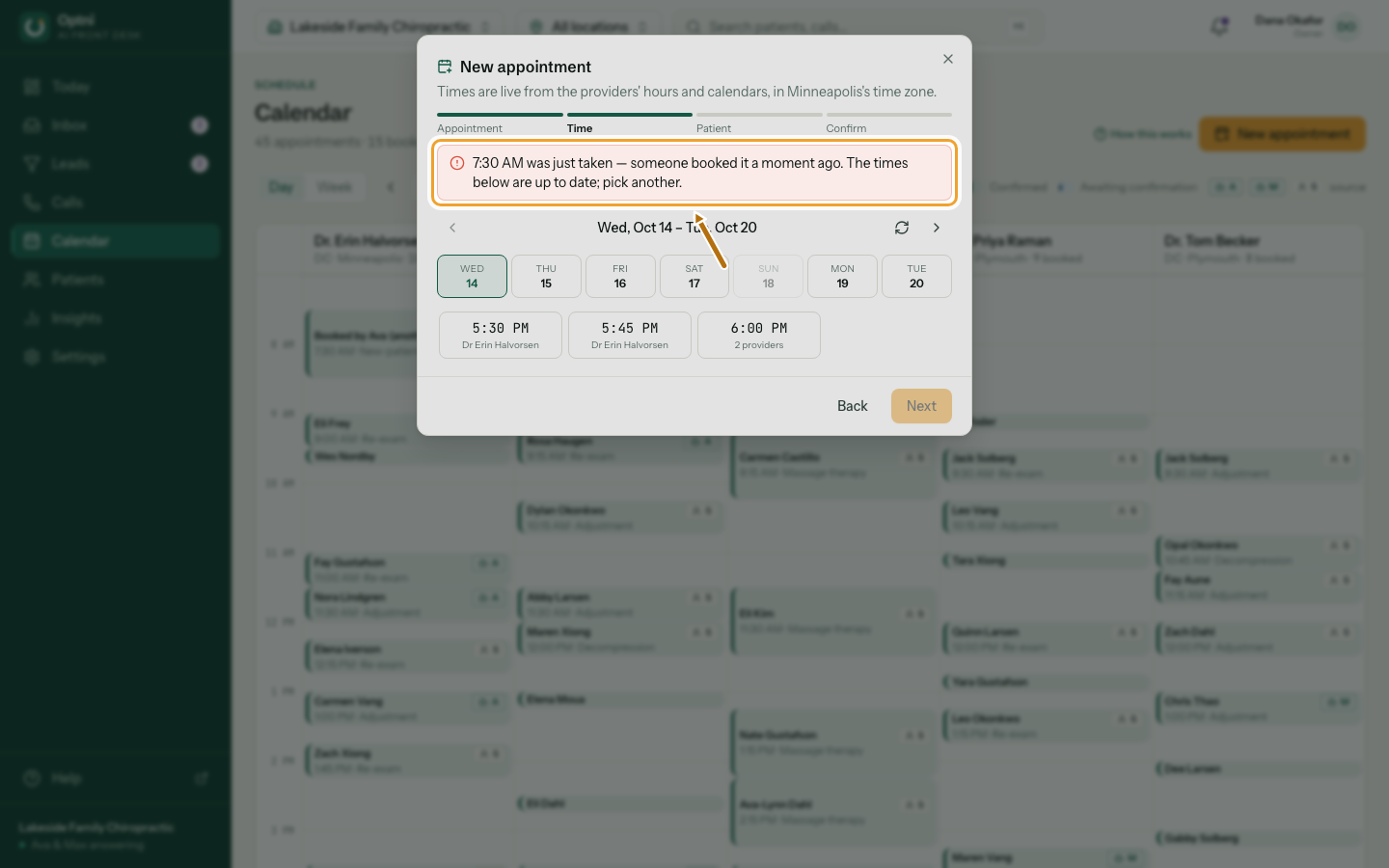
Step 1: If the time was just taken, read the note and pick another time.
The list of times is already refreshed. Your type, provider and customer are kept.
-
Step 2: Choose a new time and book again.
The same happens when you reschedule: the times refresh and you pick another.
Why this happens
- A caller may have just booked that time with Ava, or a texter with Max.
- A teammate may have booked it from another screen.
- A connected calendar may have filled that time.