Everyday work
The Today page
Today is your home page. The top shows what Ava and Max handled. Below is a short list of what needs you. Work it from top to bottom.
Steps
-
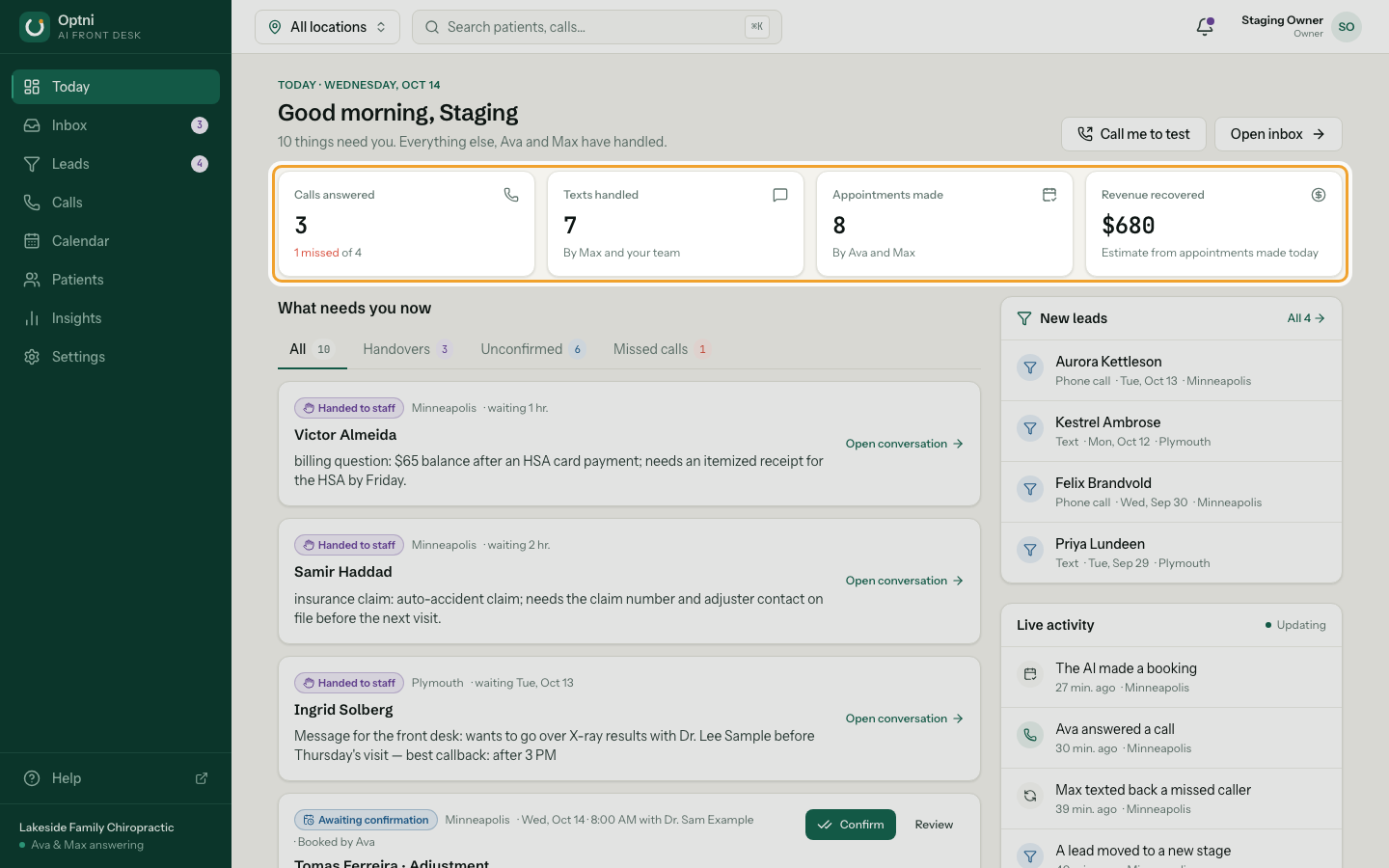
Step 1: Read today's numbers across the top.
Calls answered, texts handled, bookings made, and an estimate of revenue recovered from today's bookings.
-
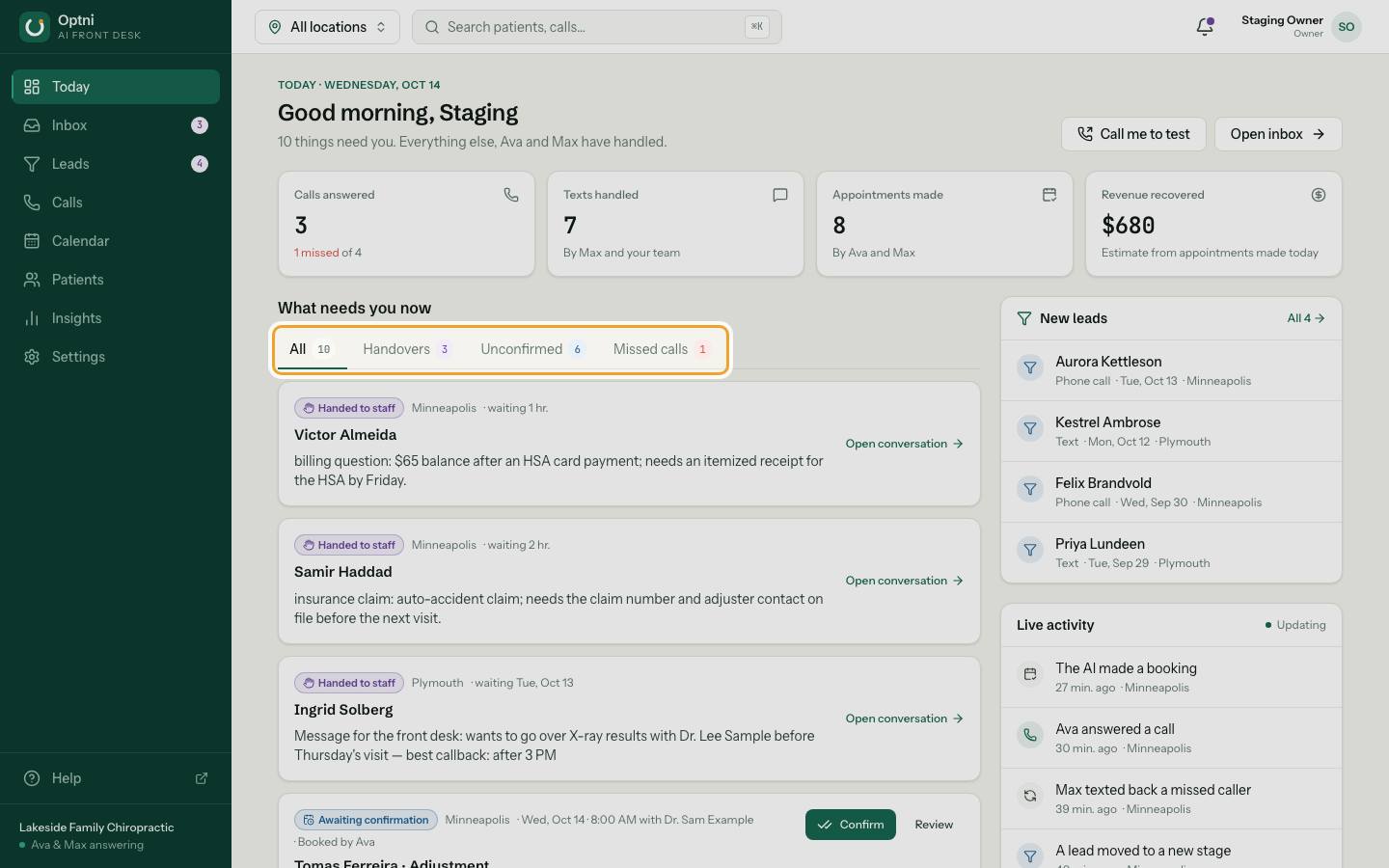
Step 2: Use the tabs to filter what needs you.
Handovers are conversations the AI passed to a person. Unconfirmed are bookings waiting for staff. Missed calls are callers nobody reached yet.
-
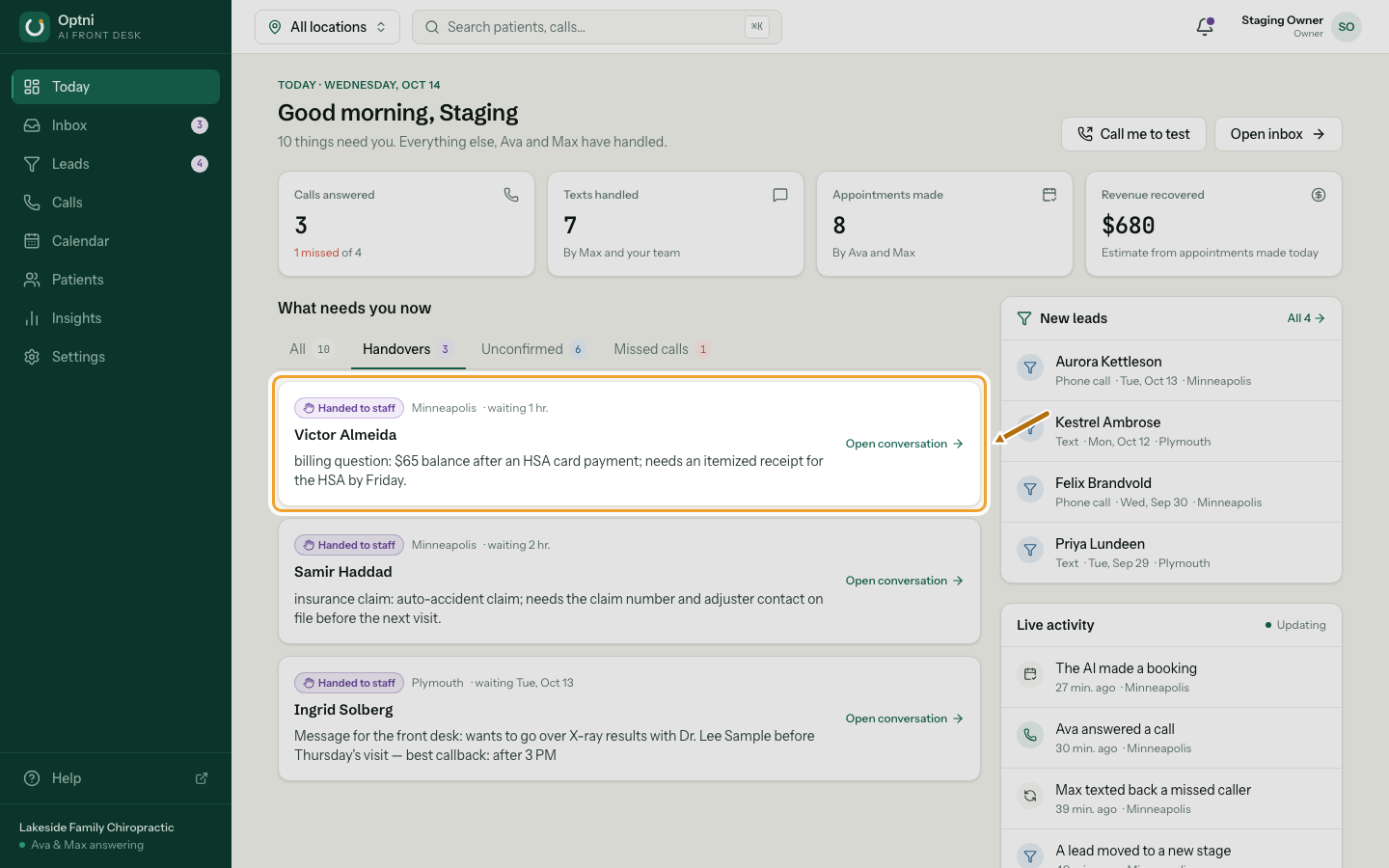
Step 3: Select Open conversation on a handover.
The card says why the AI handed over and how long the person has waited.
-
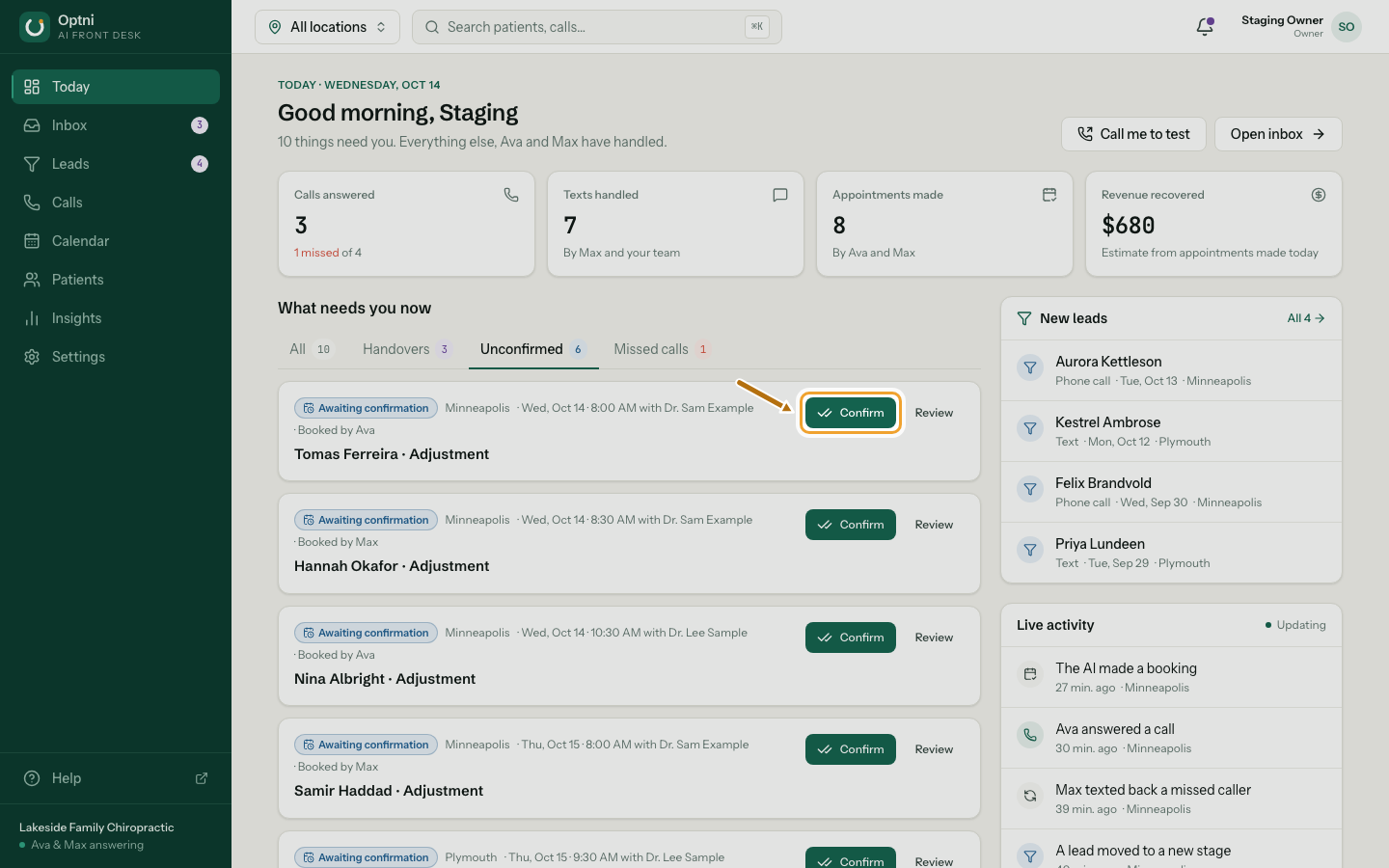
Step 4: Select Confirm on a booking awaiting confirmation.
Select Review first if you want to check the details or move it.
-
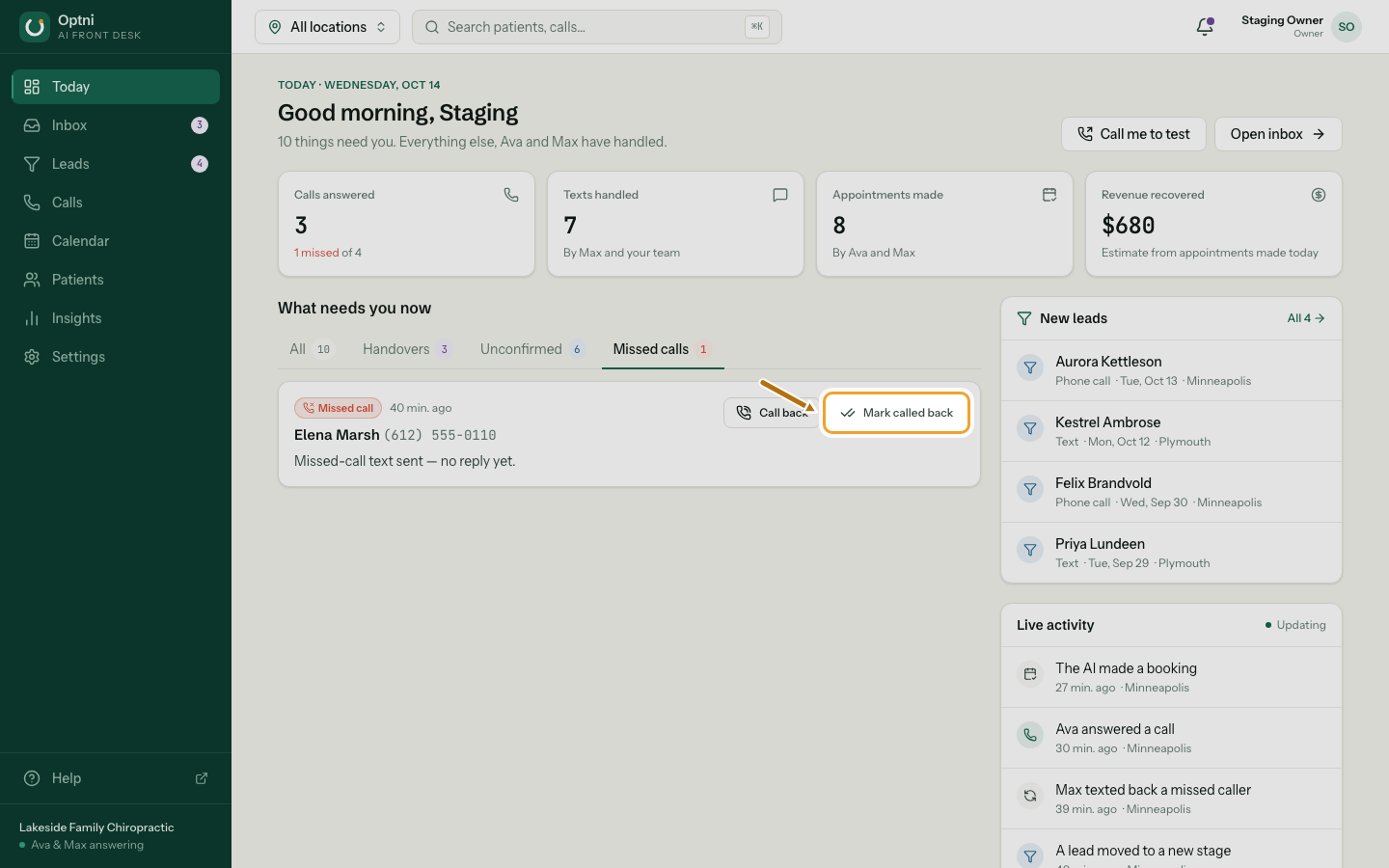
Step 5: Call back a missed caller, then select Mark called back.
The card shows whether Max already texted them back.
-
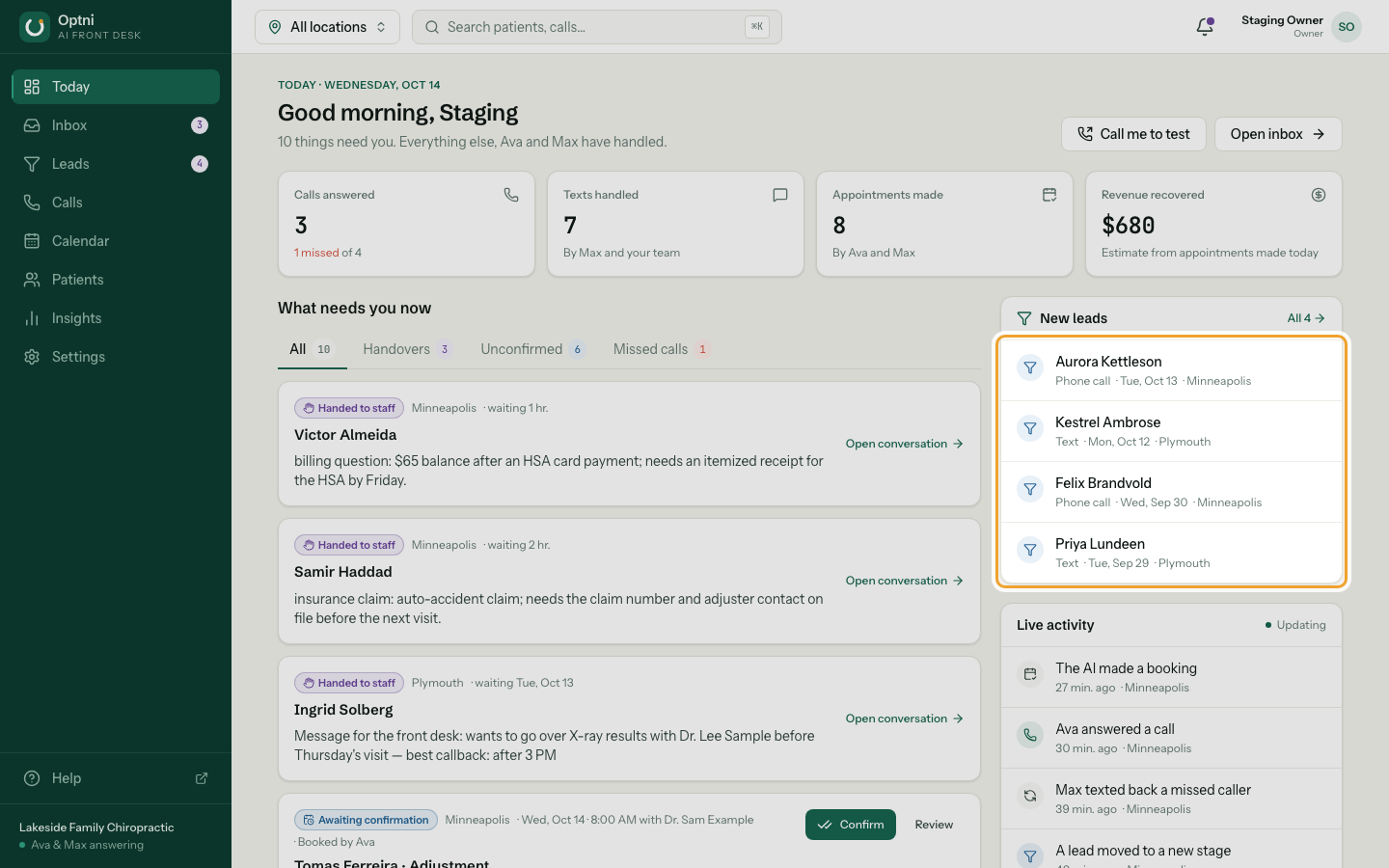
Step 6: Glance at Live activity and New leads on the right.
Live activity updates by itself. Select a new lead to open it.
Locations
Use the location picker in the top bar to see one location or all of them. Staff only ever see the locations they were invited to.
Revenue recovered
This is an estimate based on the bookings made today. It is not an accounting figure.