Locations and phone lines
Review link and location note
Two small settings per location that make a big difference: a review link, and a short note about that location.
Steps
-
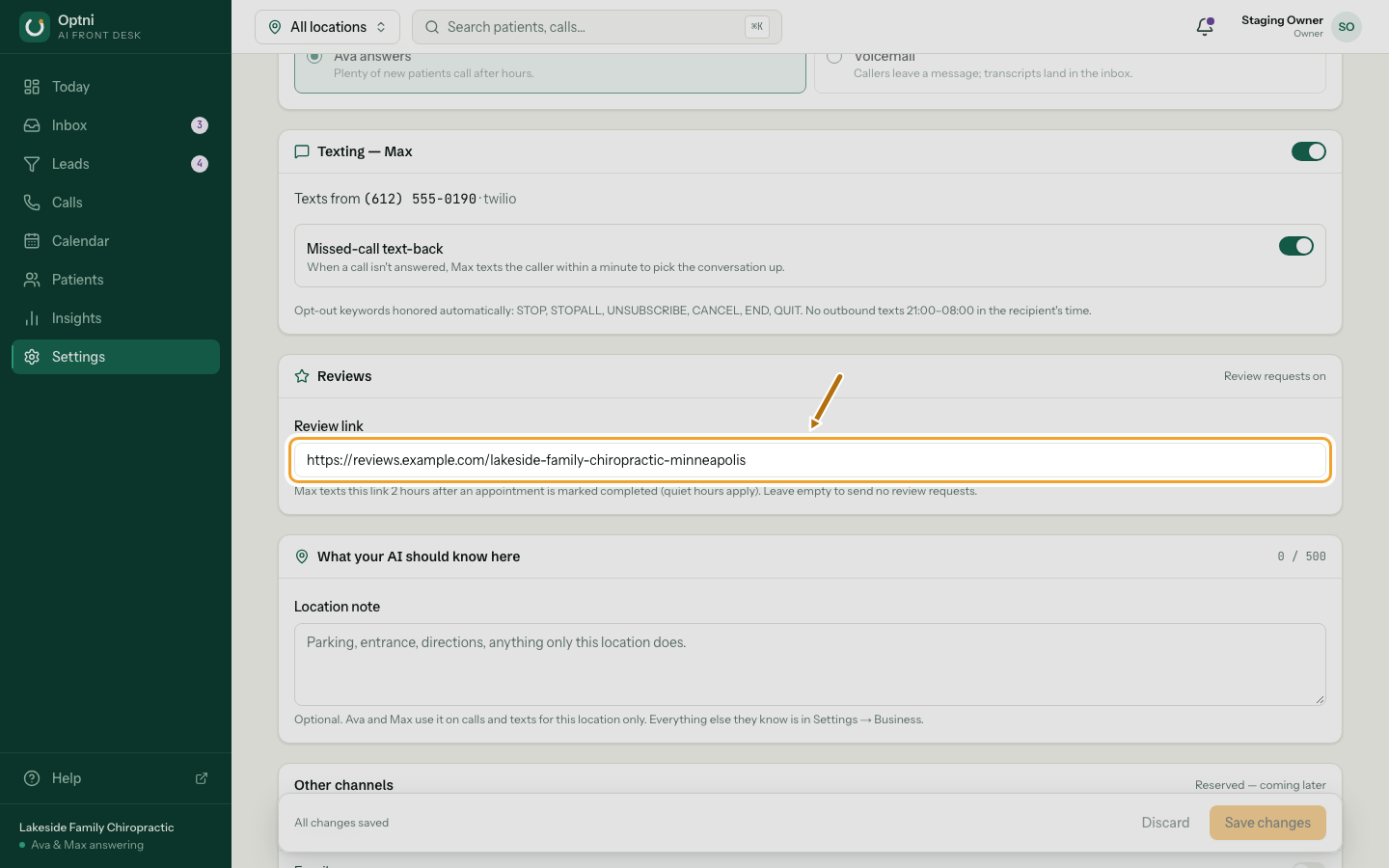
Step 1: Paste your review page link in Reviews → Review link.
Max texts it 2 hours after a booking is marked completed (quiet hours apply). Leave it empty to send no review requests.
-
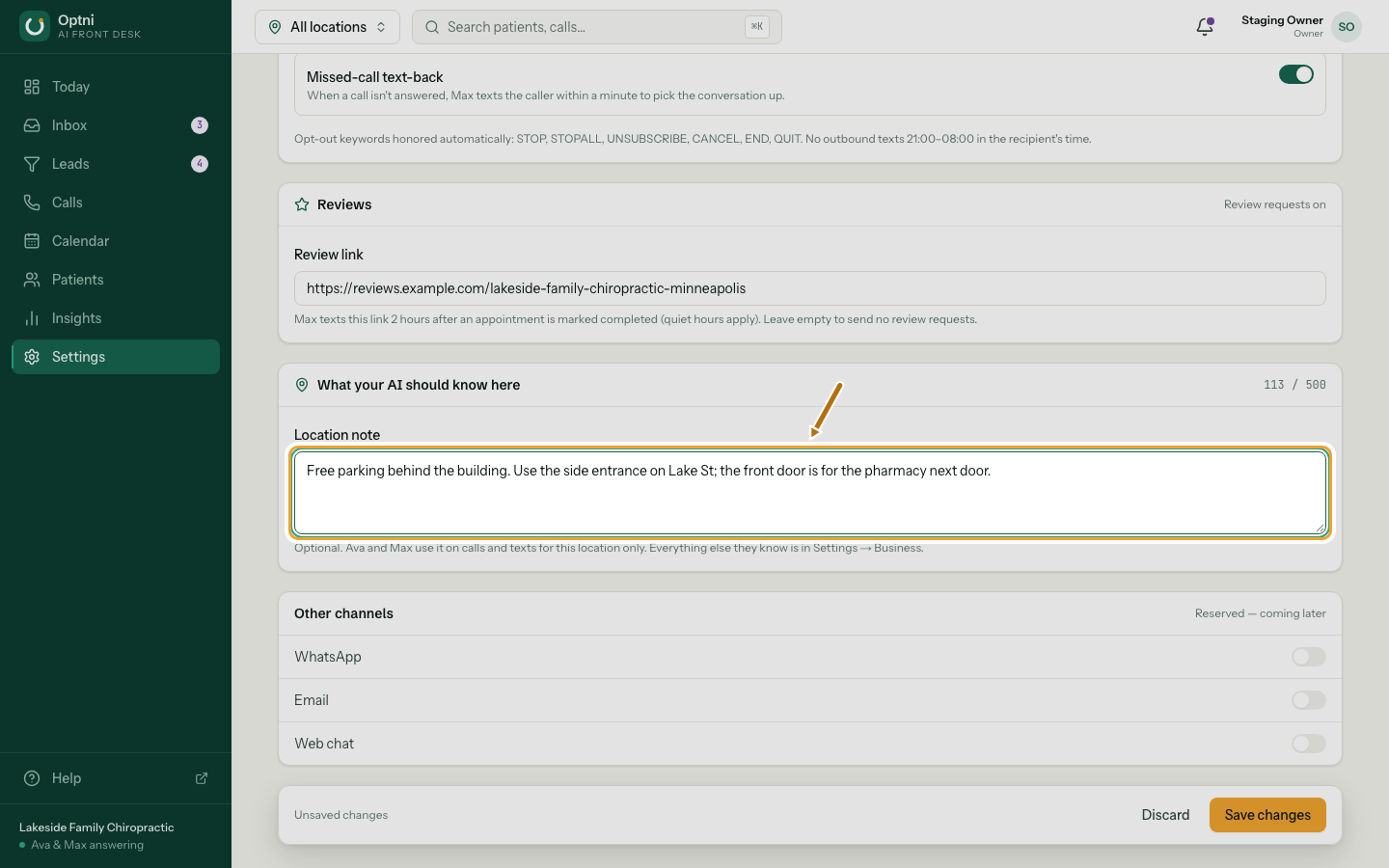
Step 2: Write the location note.
Parking, entrance, directions — anything only this location does. Up to 500 characters. Ava and Max use it for this location only.
-
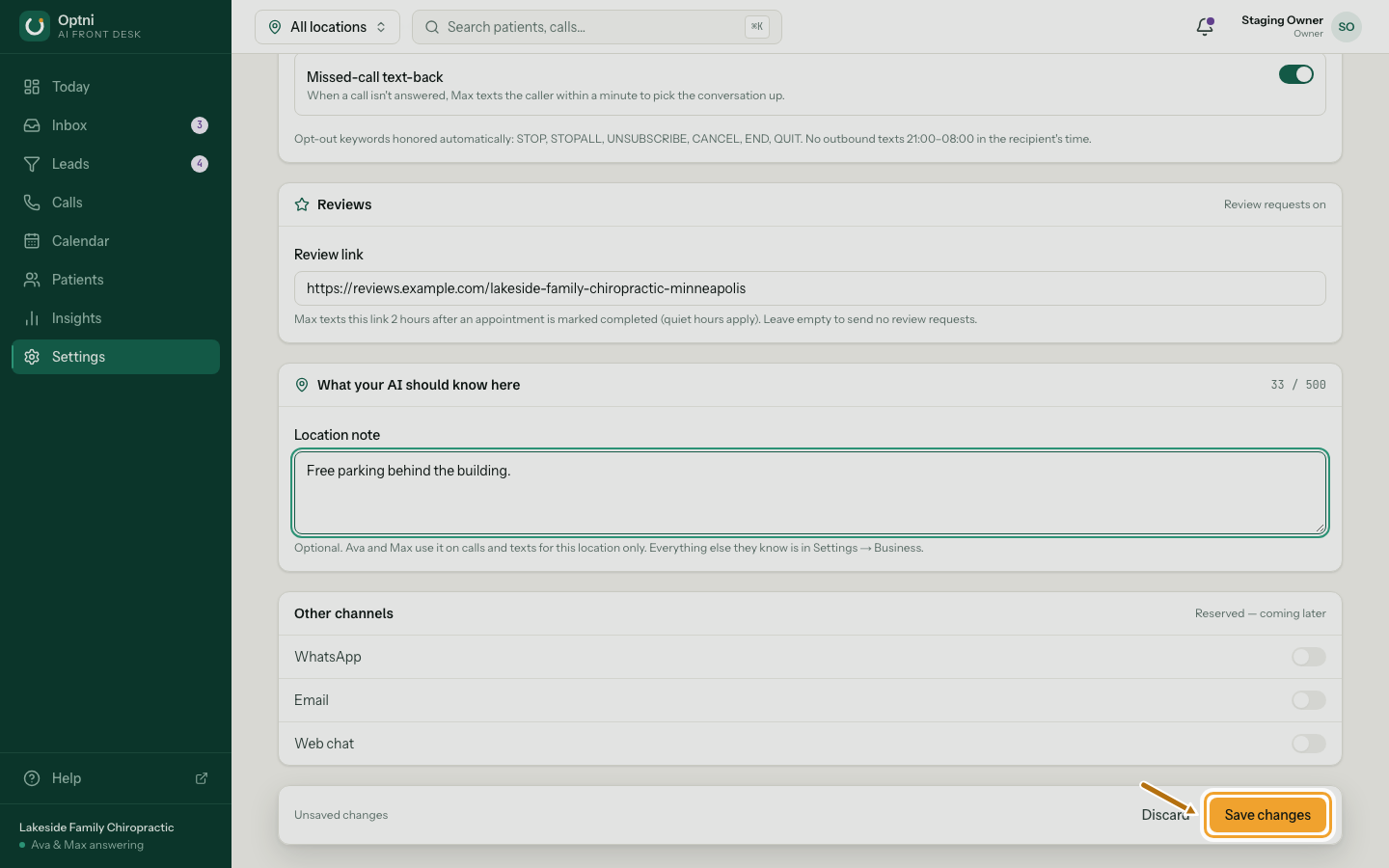
Step 3: Select Save changes.
Tips
- Use your Google Business Profile review link (it starts with https://g.page/r/).
- Everything that is true at every location belongs in What your AI should know instead.