Locations and phone lines
Texting and missed-call text-back
Max texts from the location's business number. Customers can text that number back any time and Max answers, sharing one memory with Ava.
Steps
-
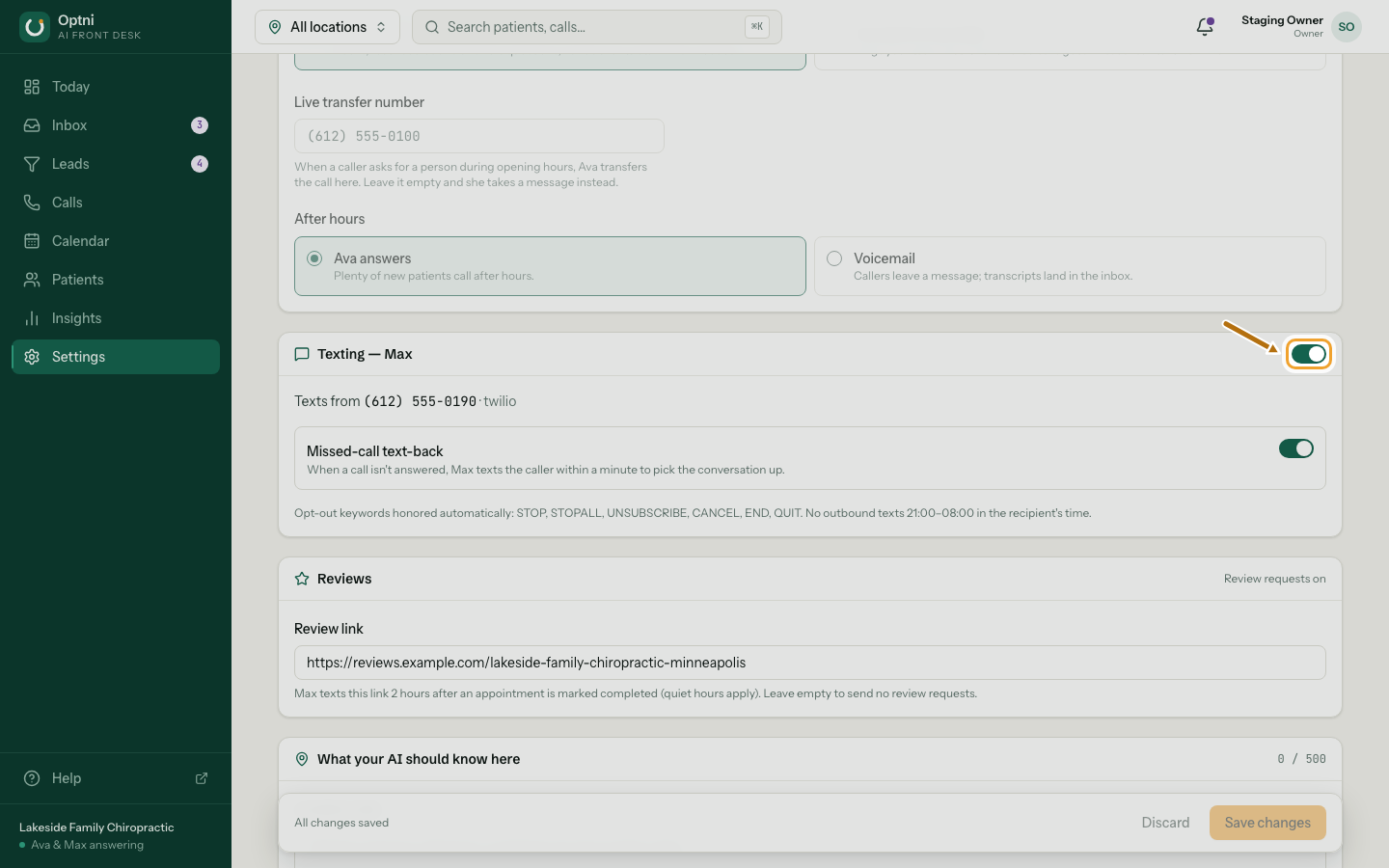
Step 1: In Settings → Locations & channels, find the Texting — Max card.
The switch at the top turns texting on or off for this location.
-
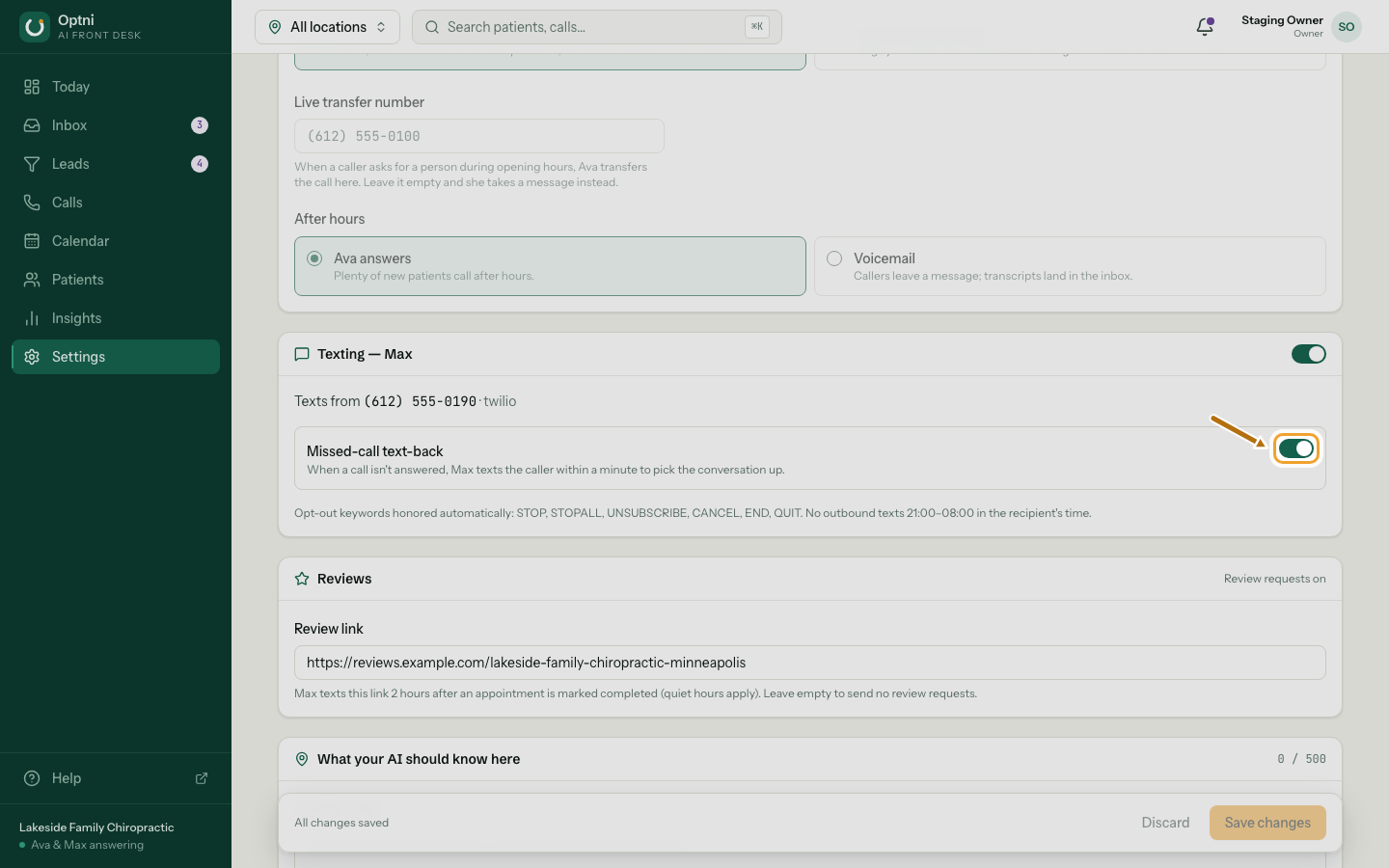
Step 2: Turn on Missed-call text-back.
When a call isn't answered, Max texts the caller within a minute to pick the conversation up.
-
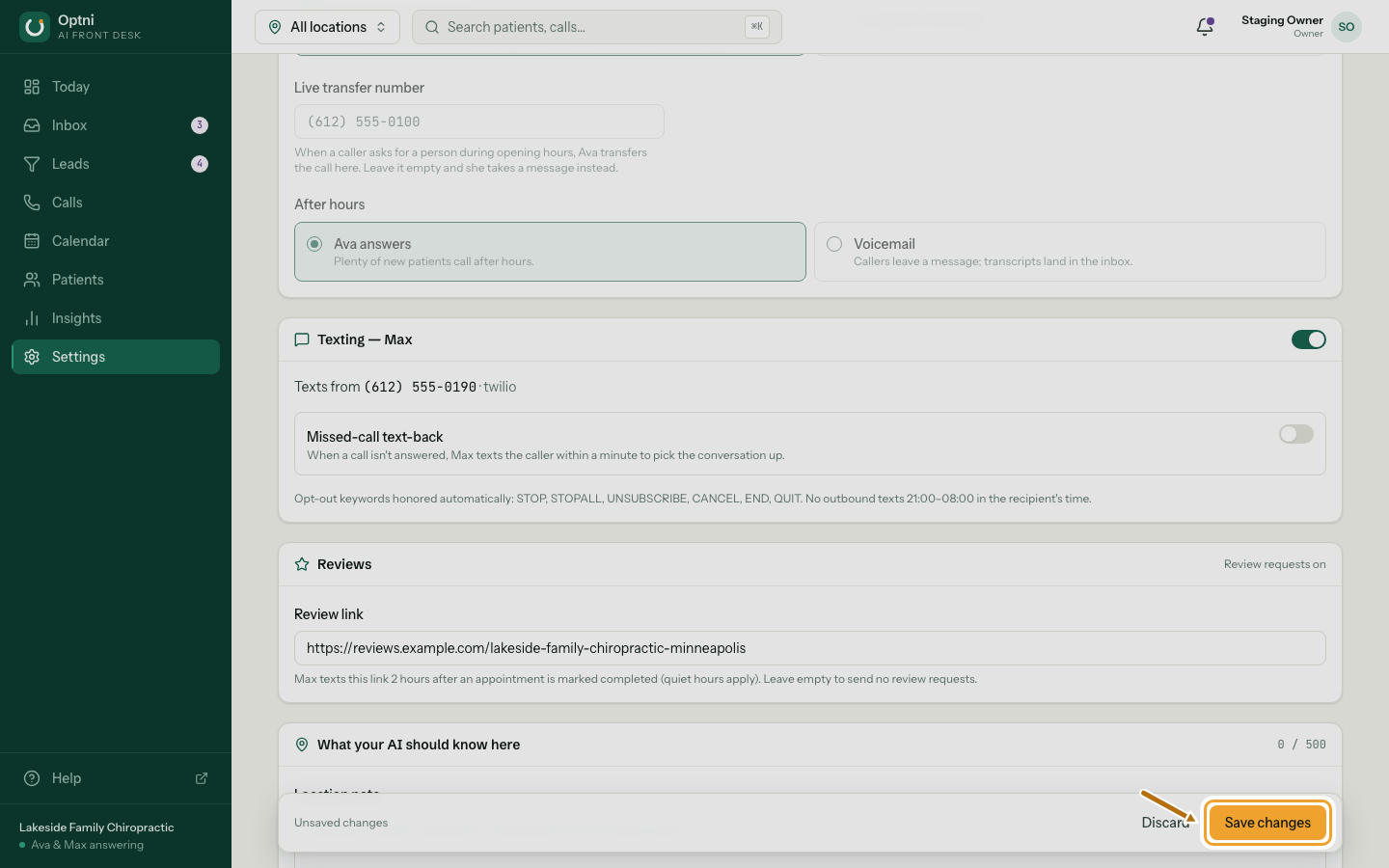
Step 3: Select Save changes.
Rules Max always follows
- No texts between 9 PM and 8 AM in the customer's time zone. A text-back waits until morning.
- No texts to anyone who replied STOP.
- No text-back to customers your team has taken over.