Locations and phone lines
Greeting: what Ava says first
The greeting is the first thing every caller hears. Keep it short and friendly. Two parts are required and can't be removed: that Ava is an AI assistant, and that the call may be recorded.
Steps
-
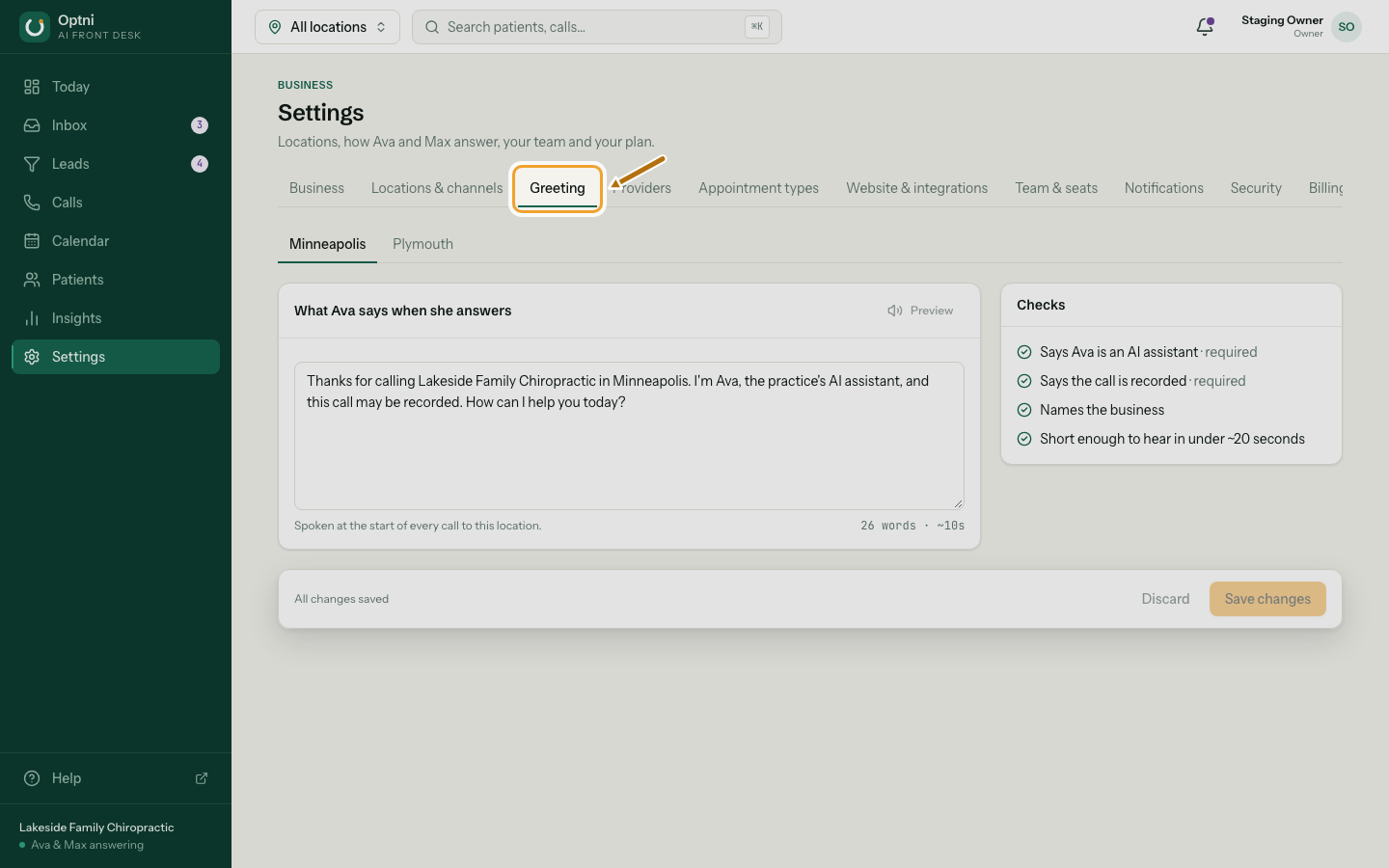
Step 1: Go to Settings → Greeting and pick the location.
-
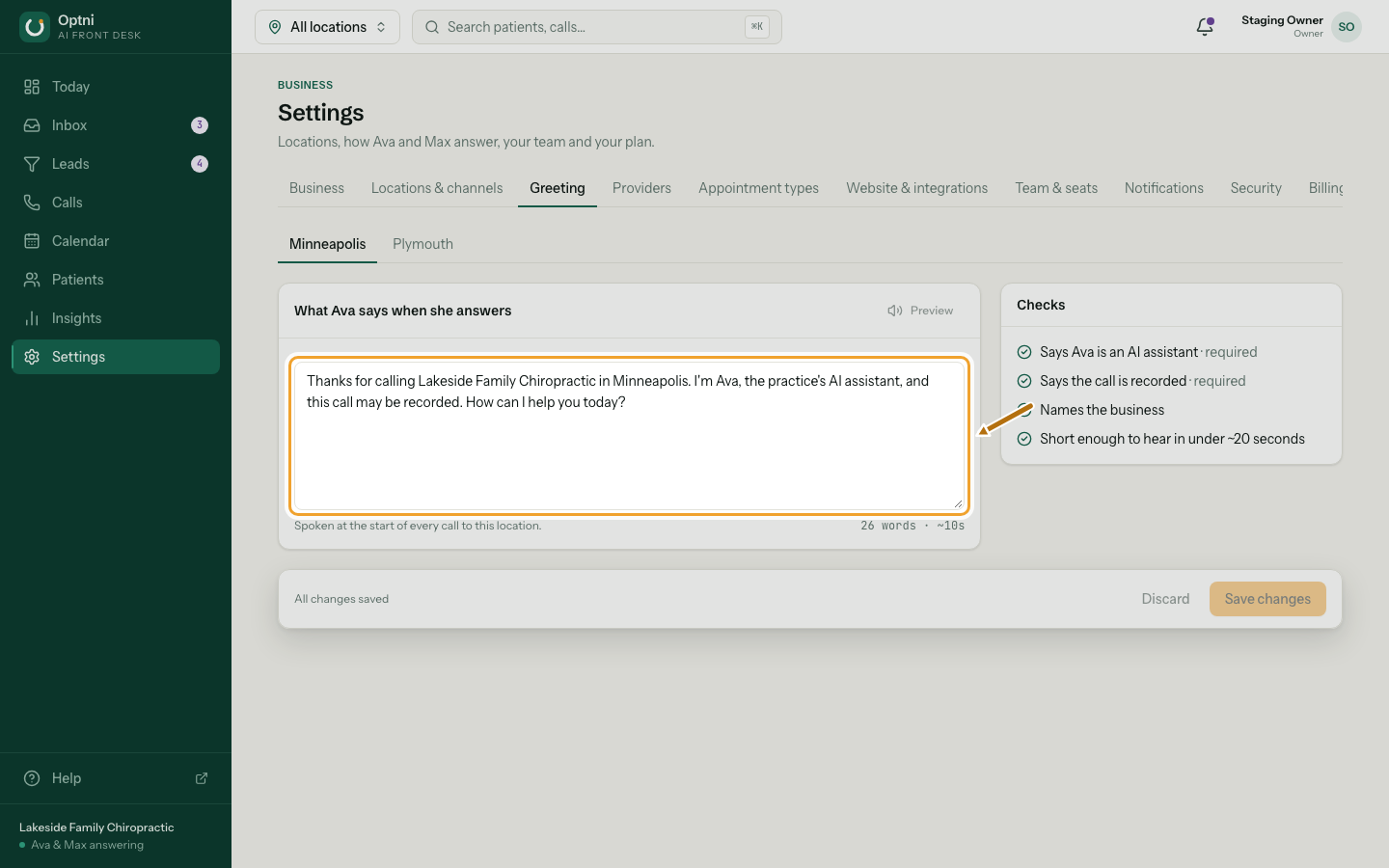
Step 2: Edit the text.
Say your business name, that Ava is an AI assistant, that the call may be recorded, then ask how you can help.
-
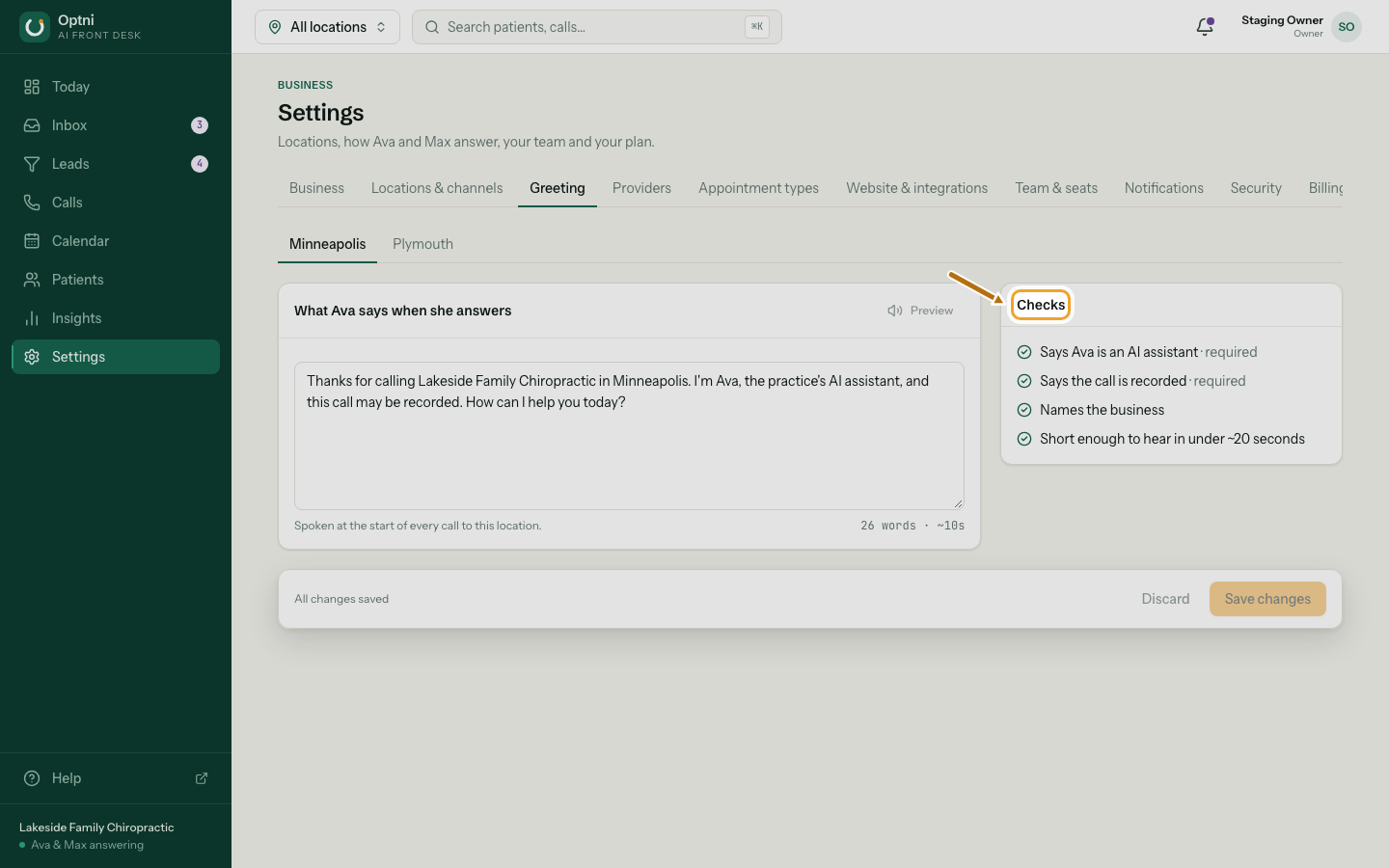
Step 3: Make sure every check is ticked.
The two required checks must pass to save. Aim for under about 20 seconds.
-
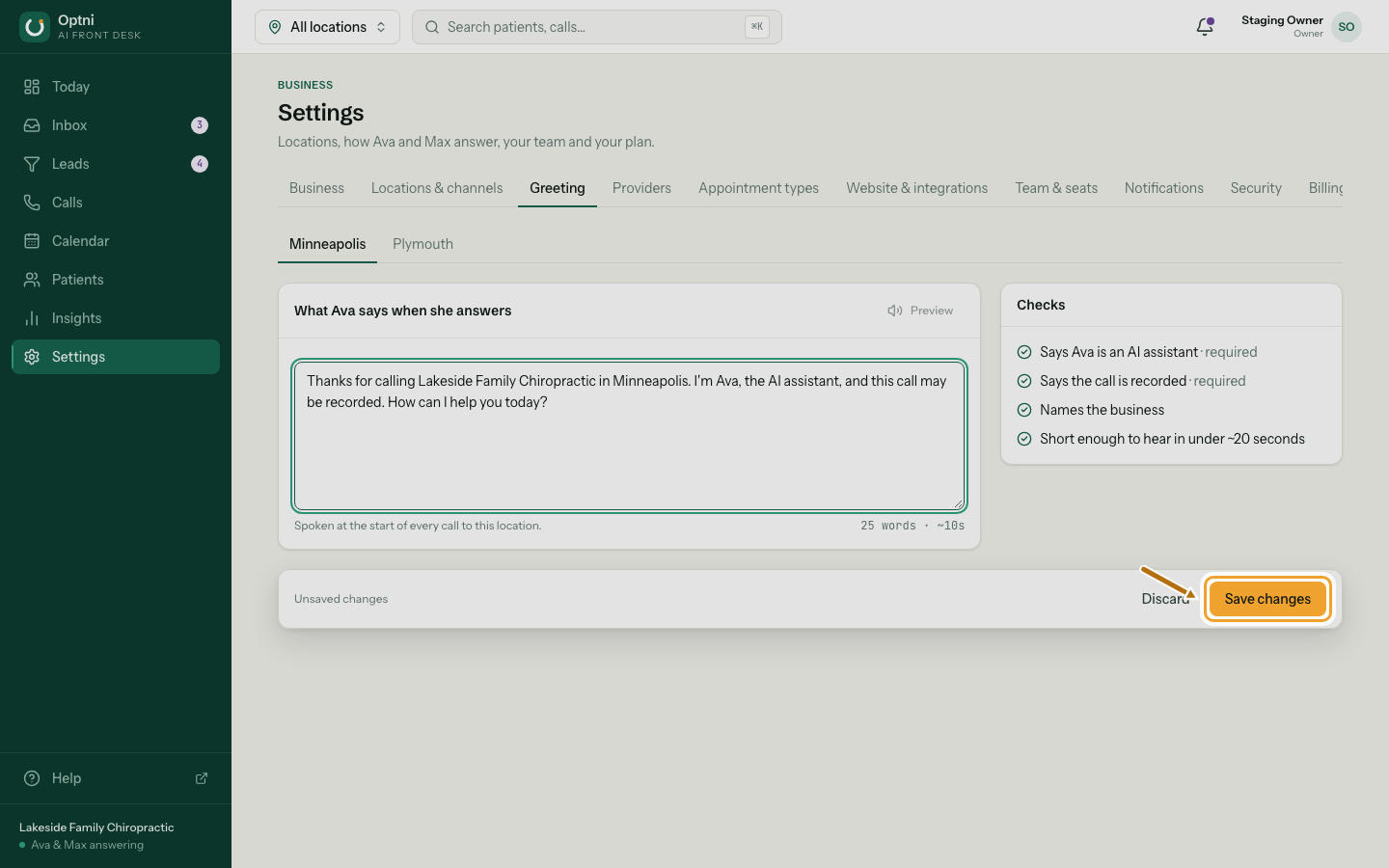
Step 4: Select Save changes.
If the AI or recording part is missing, saving is refused and the box says why.
Example
"Thanks for calling Example Plumbing. I'm Ava, the AI assistant, and this call may be recorded. How can I help you today?"
Why the two parts are required
Callers have a right to know they're talking to an AI and that the call may be recorded. Some US states require everyone on a call to agree to it being recorded. Telling callers at the start is how Optni gives that notice. Rules vary by place and change over time, so check what applies to your business.