Getting started
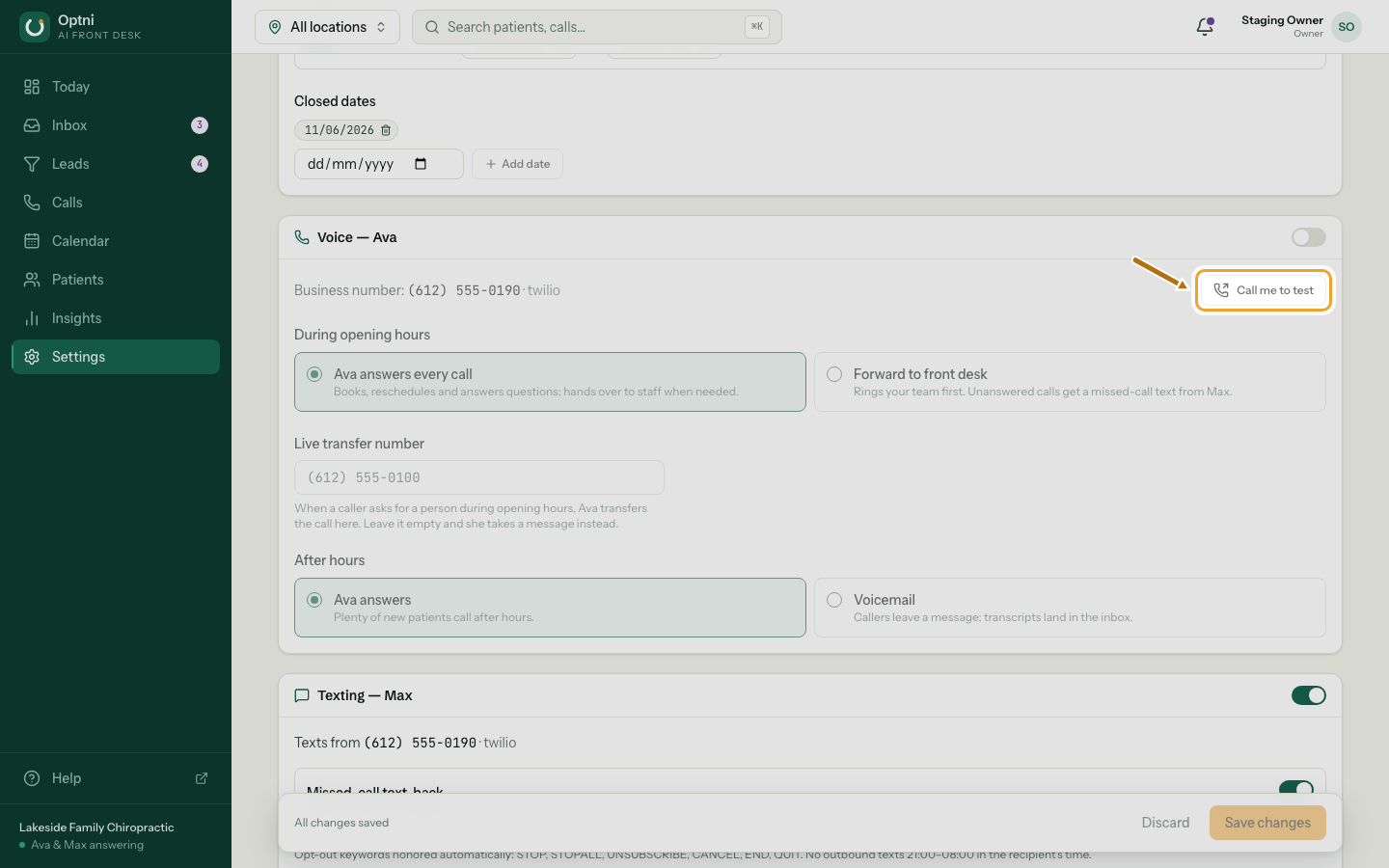
Call me to test: hear your AI receptionist
Before you send real calls to Ava, hear her yourself. Call me to test rings your phone from your business number. You answer and talk to her like a customer would. Test calls are never billed and never create a lead.
Steps
-
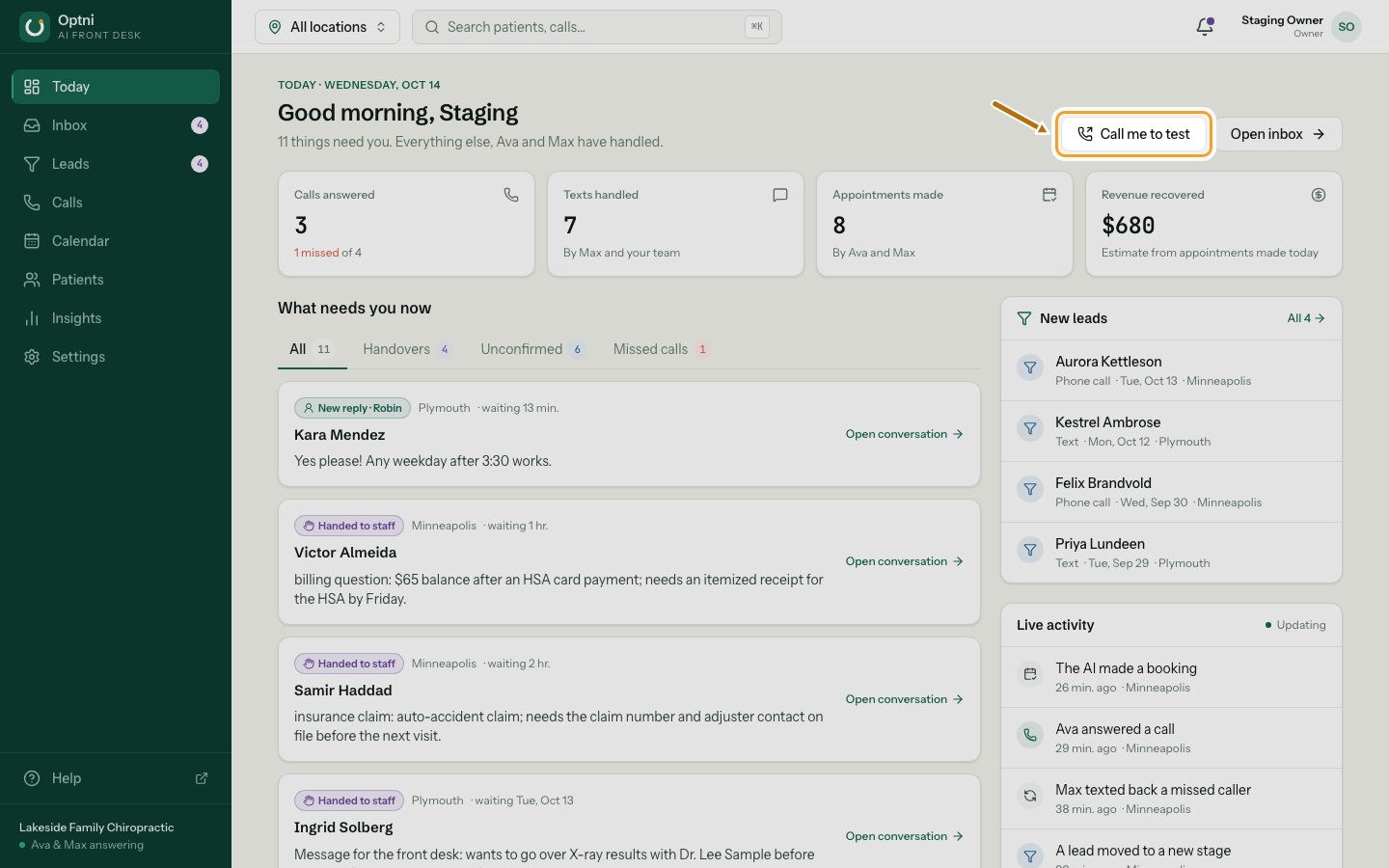
Step 1: On Today, select Call me to test.
It is also on each location's Voice card in Settings → Locations & channels.
-
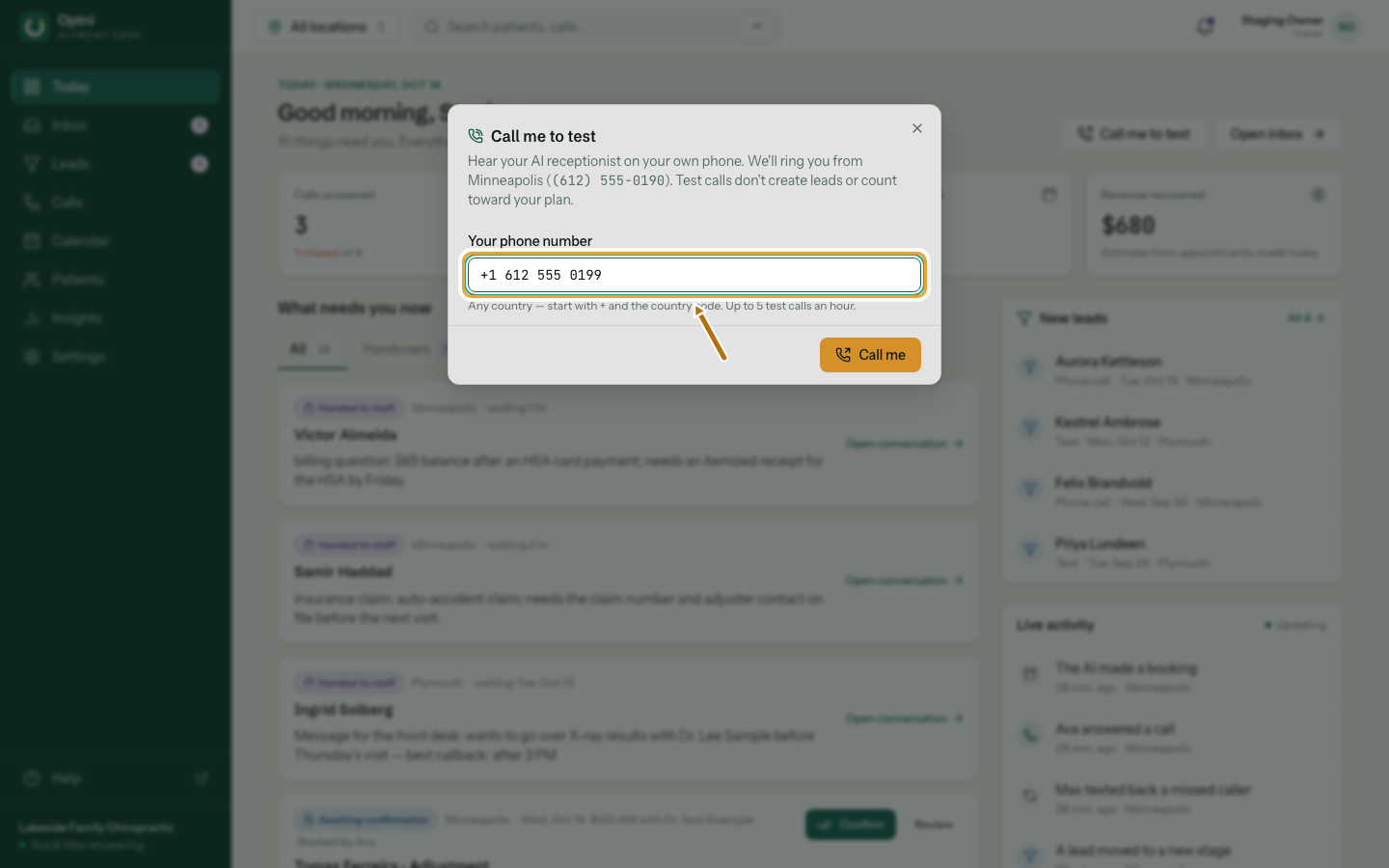
Step 2: Enter your phone number with its country code.
For example +1 312 555 0100. Mobile numbers and landlines work. Toll-free, premium and short codes can't be called.
-
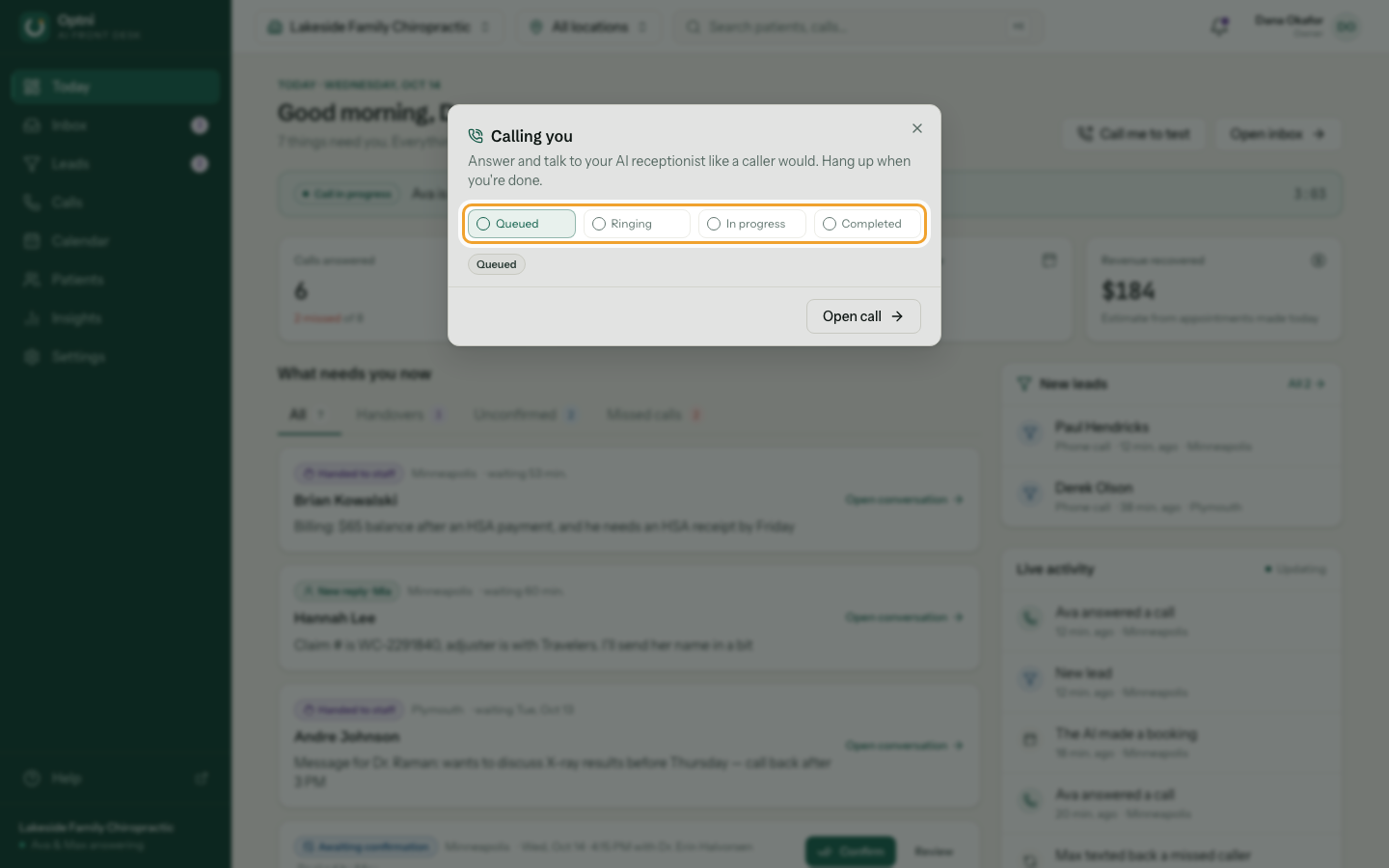
Step 3: Select Call me, then answer your phone.
Talk to Ava like a caller: ask your hours, ask to book, ask for a person. Hang up when you're done.
-
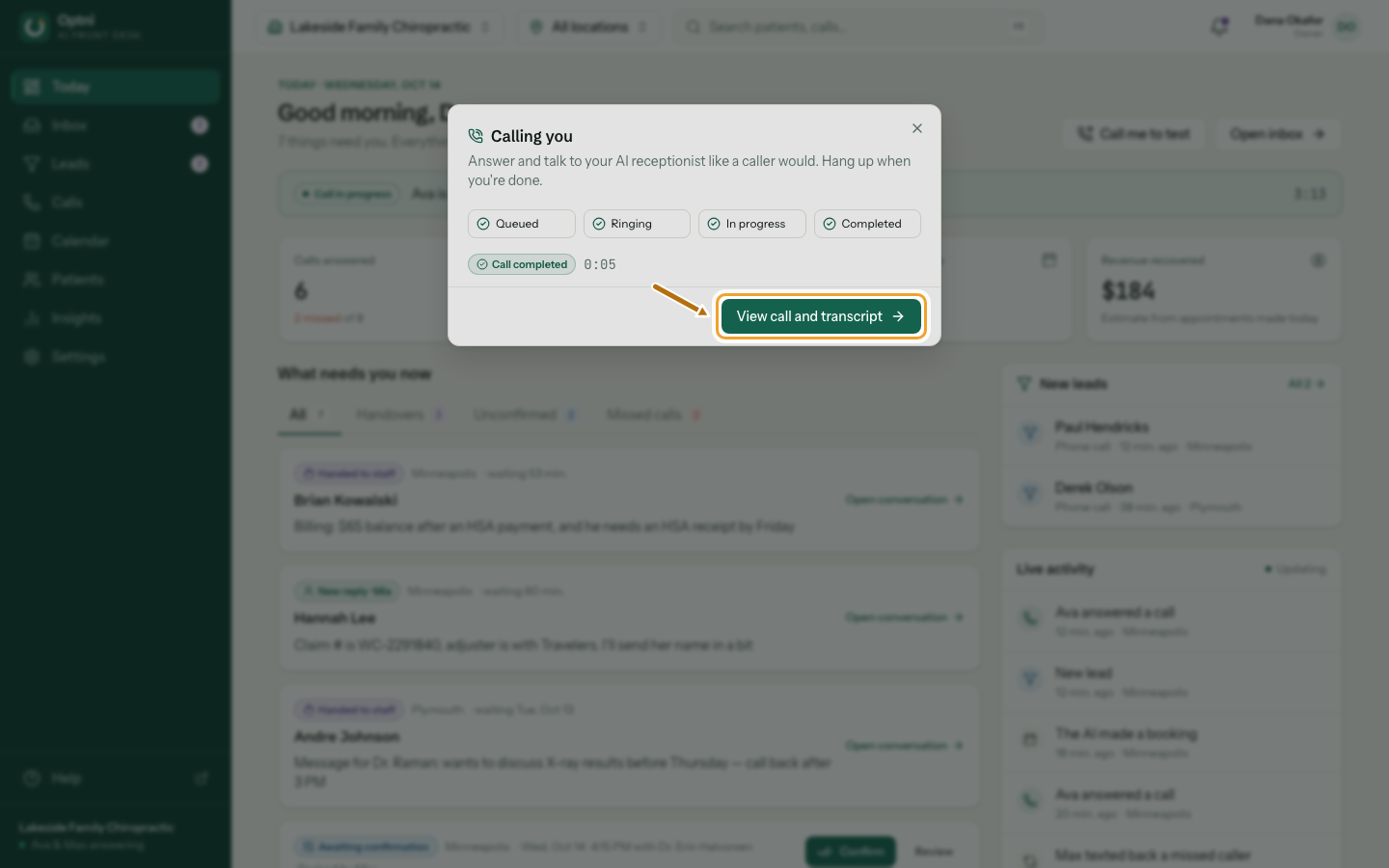
Step 4: Select View call and transcript to read what was said.
The call also appears in Calls, marked as a test.
-
Step 5: To test another location, use Call me to test on its Voice card.
Good to know
- Ava always answers a test call, even if the location forwards calls or is closed.
- If voicemail picks up, Ava says goodbye and hangs up.
- Limits: 5 test calls an hour per person and 20 a day per business.
- "Calling isn't switched on for this server yet" means phone service for your account isn't ready. Contact Optni.