Business settings
Business name and industry
Your business name is what Ava says when she answers and how Max signs texts. Your industry sets the everyday words — patients or clients, appointments or jobs — plus Ava's do's and don'ts and your lead stages.
Steps
-
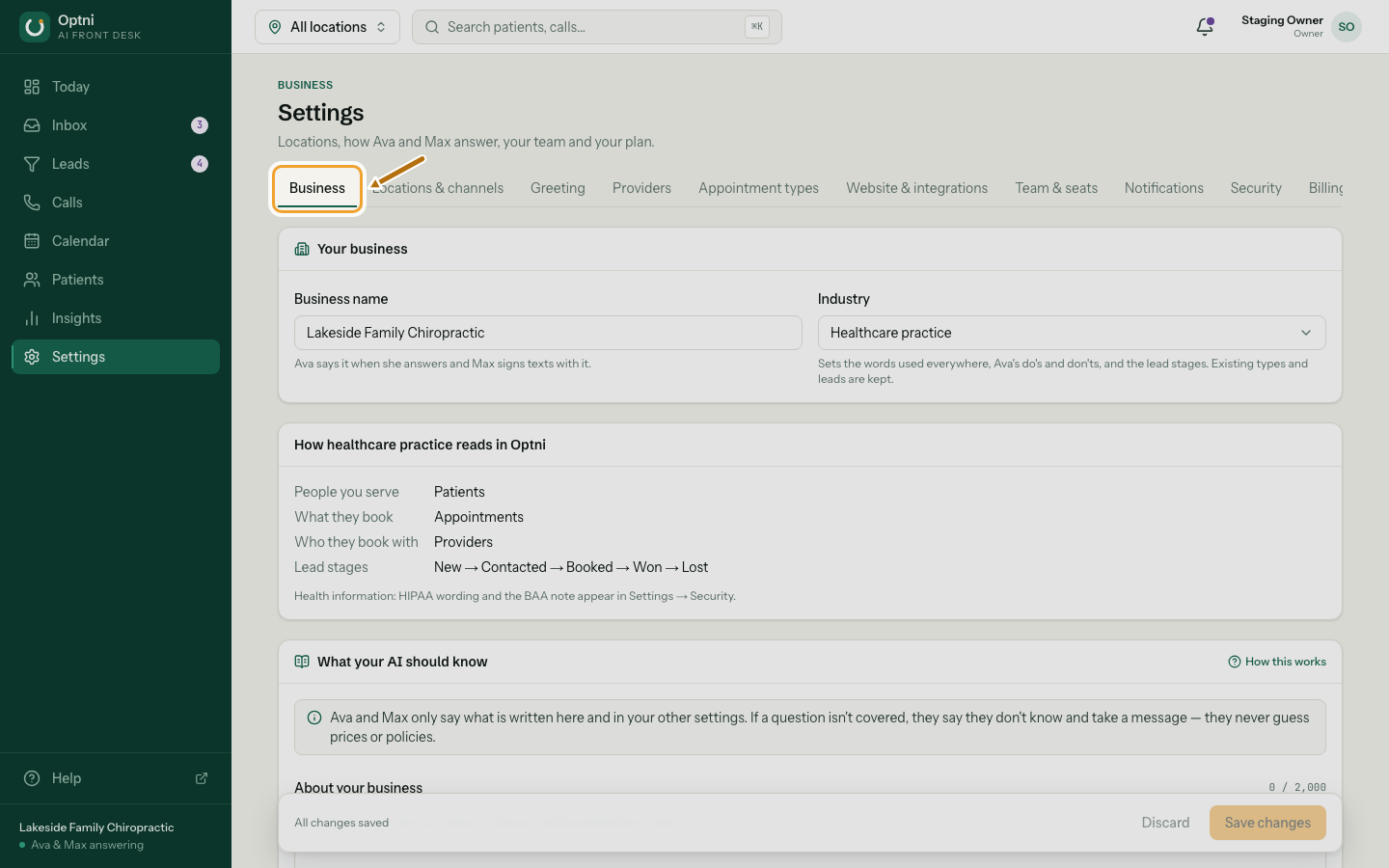
Step 1: Go to Settings → Business.
-
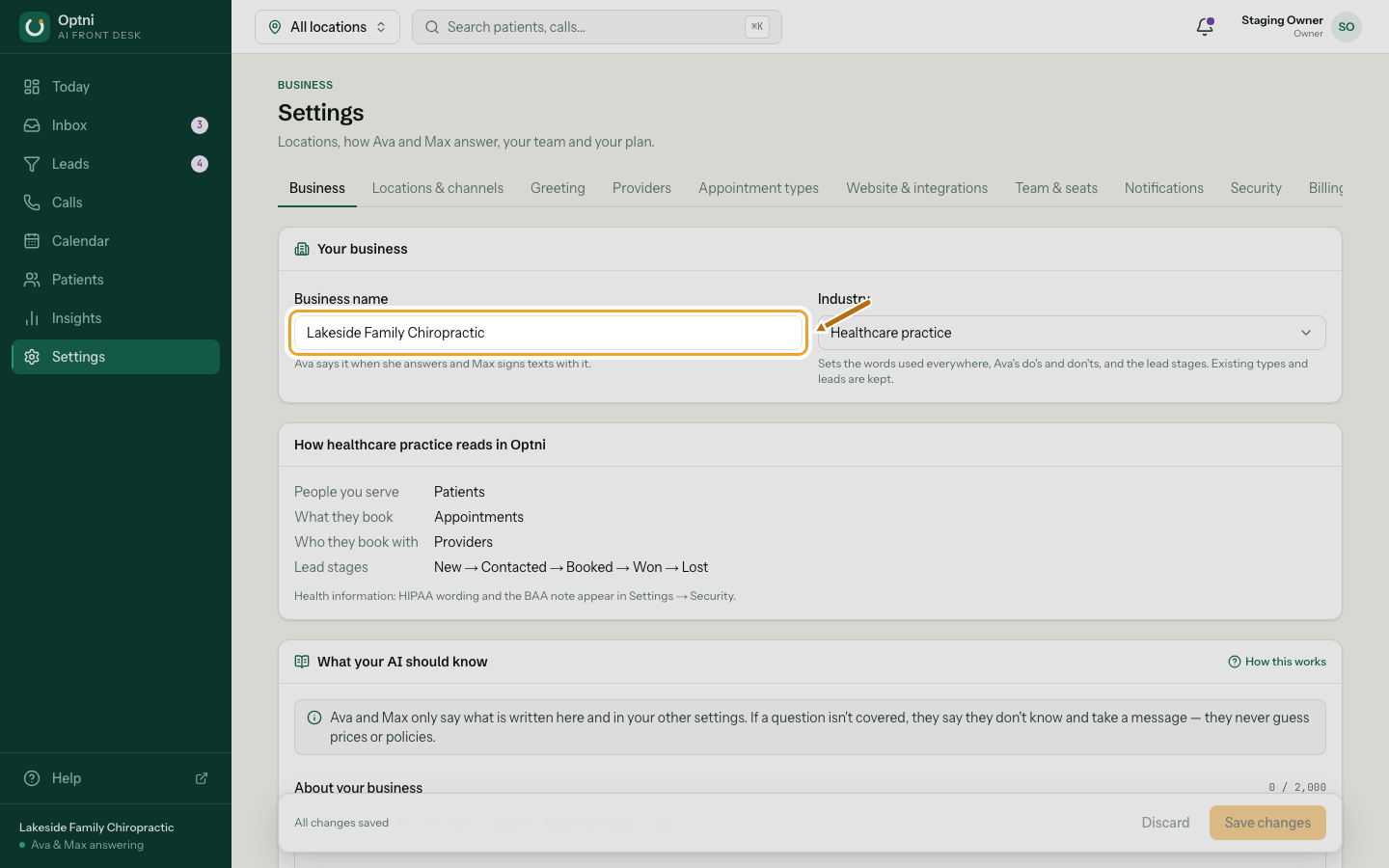
Step 2: Type your business name the way you'd say it on the phone.
-
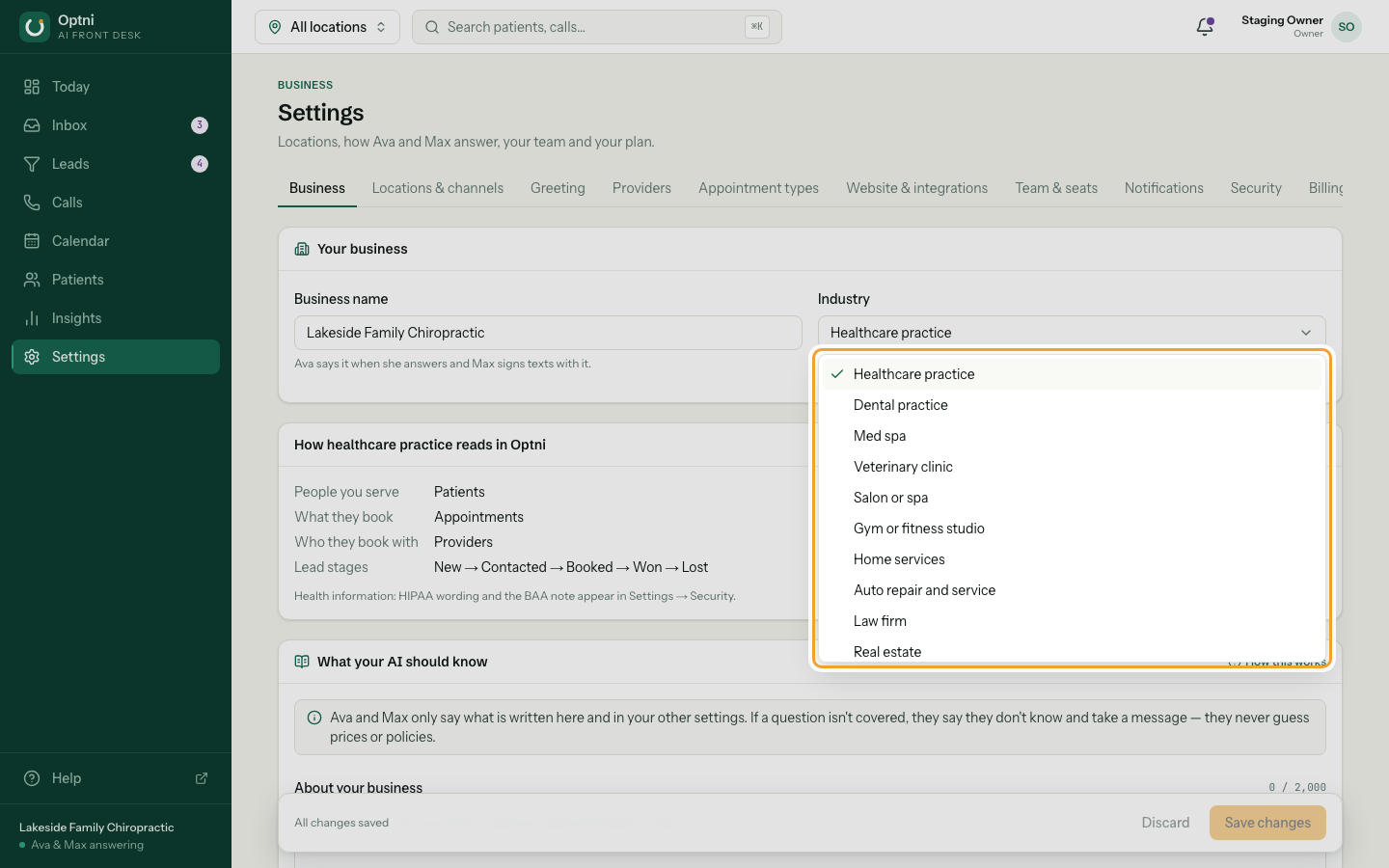
Step 3: Choose your industry.
Pick the closest one. "Other business" uses neutral words.
-
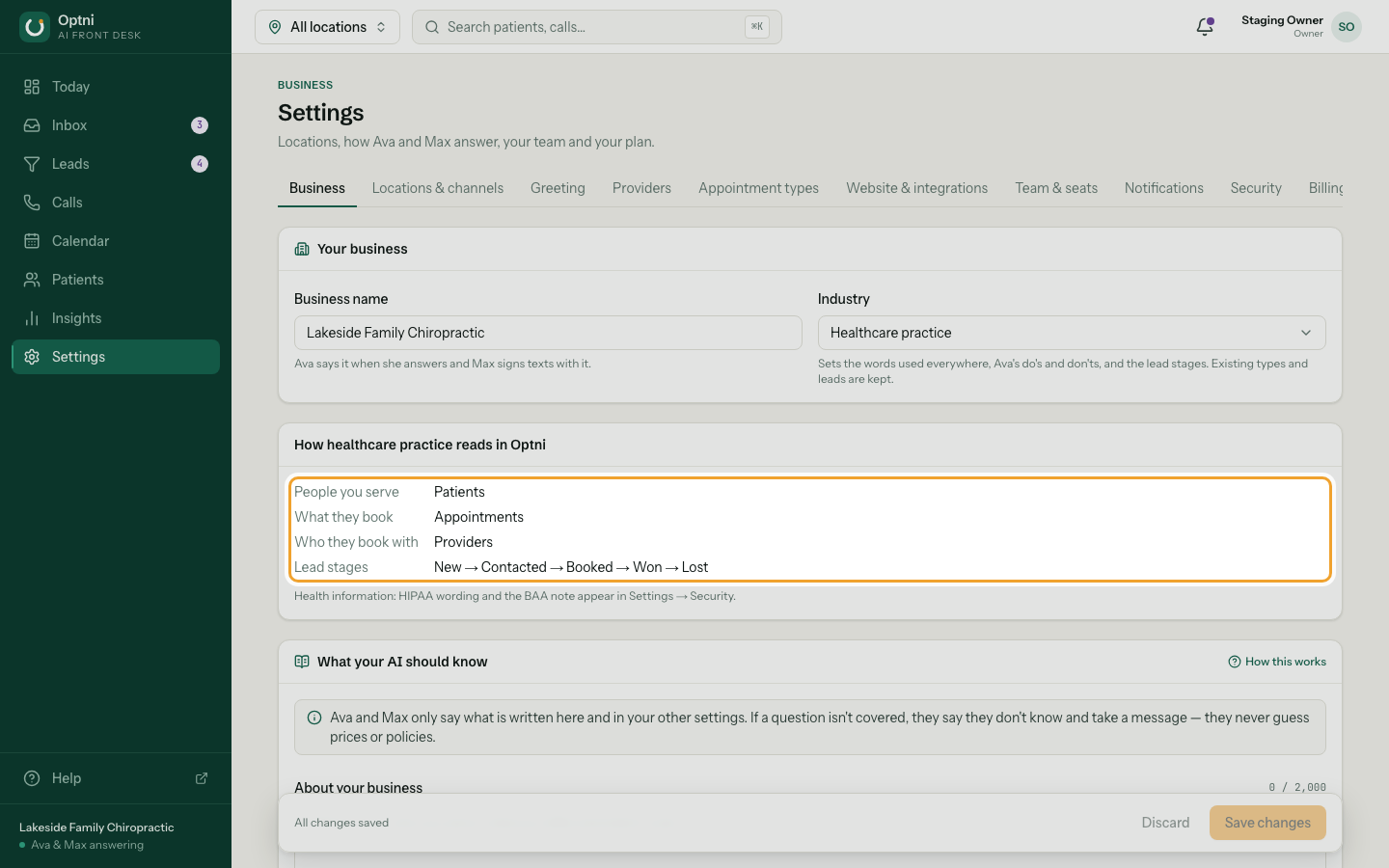
Step 4: Check the preview of how your industry reads in Optni.
It shows the words for the people you serve, what they book, who they book with, and your lead stages.
-
Step 5: Select Save changes at the bottom.
Existing booking types and leads are kept when you change industry.
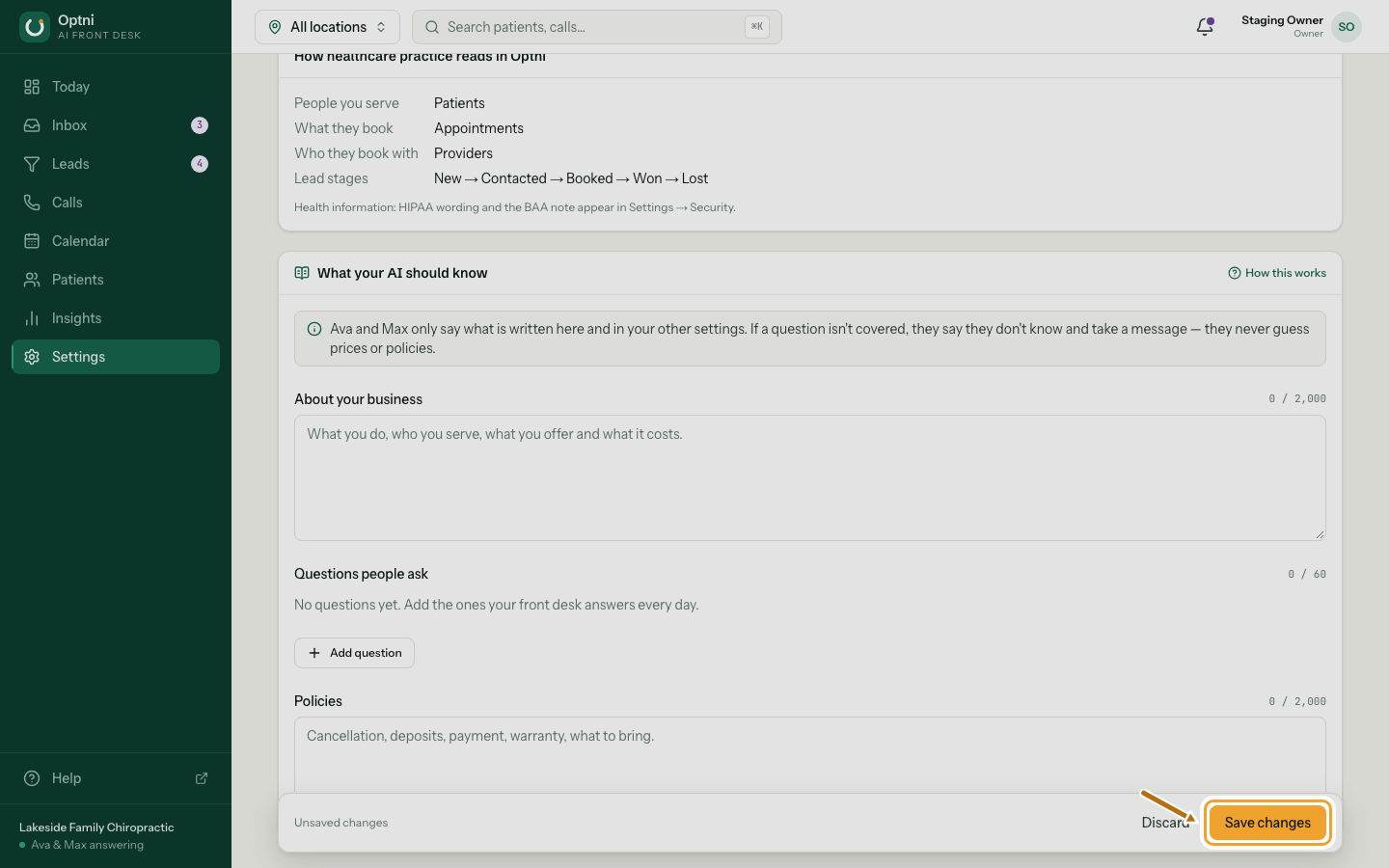
How industry changes the words
| Industry | People you serve | What they book | Who they book with |
|---|---|---|---|
| Healthcare or dental practice | Patients | Appointments | Providers |
| Med spa | Clients | Appointments | Providers |
| Veterinary clinic | Clients | Appointments | Veterinarians |
| Salon or spa | Clients | Appointments | Stylists |
| Gym or fitness studio | Members | Sessions | Trainers |
| Home services | Customers | Jobs | Technicians |
| Auto repair and service | Customers | Appointments | Technicians |
| Law firm | Clients | Consultations | Attorneys |
| Real estate | Clients | Showings | Agents |
| Restaurant | Guests | Reservations | Hosts |
| Retail store | Customers | Appointments | Associates |
| Professional services | Clients | Meetings | Advisors |
| Software / SaaS | Leads | Demos | Reps |
| Other business | Customers | Appointments | Staff members |
What else the industry sets
- Lead stages — for example home services use New, Contacted, Estimate scheduled, Quoted, Won, Lost.
- Starting booking types for a new business.
- Ava's industry do's and don'ts. Healthcare, dental, med spa and veterinary add a firm rule: no medical advice and no triage.
- Healthcare industries also show HIPAA and BAA wording in Settings → Security.