Team and businesses
Switch between businesses
One login can belong to several businesses — for example a salon and a spa you both run. Each business has its own data, team, plan and words. You work in one at a time.
Steps
-
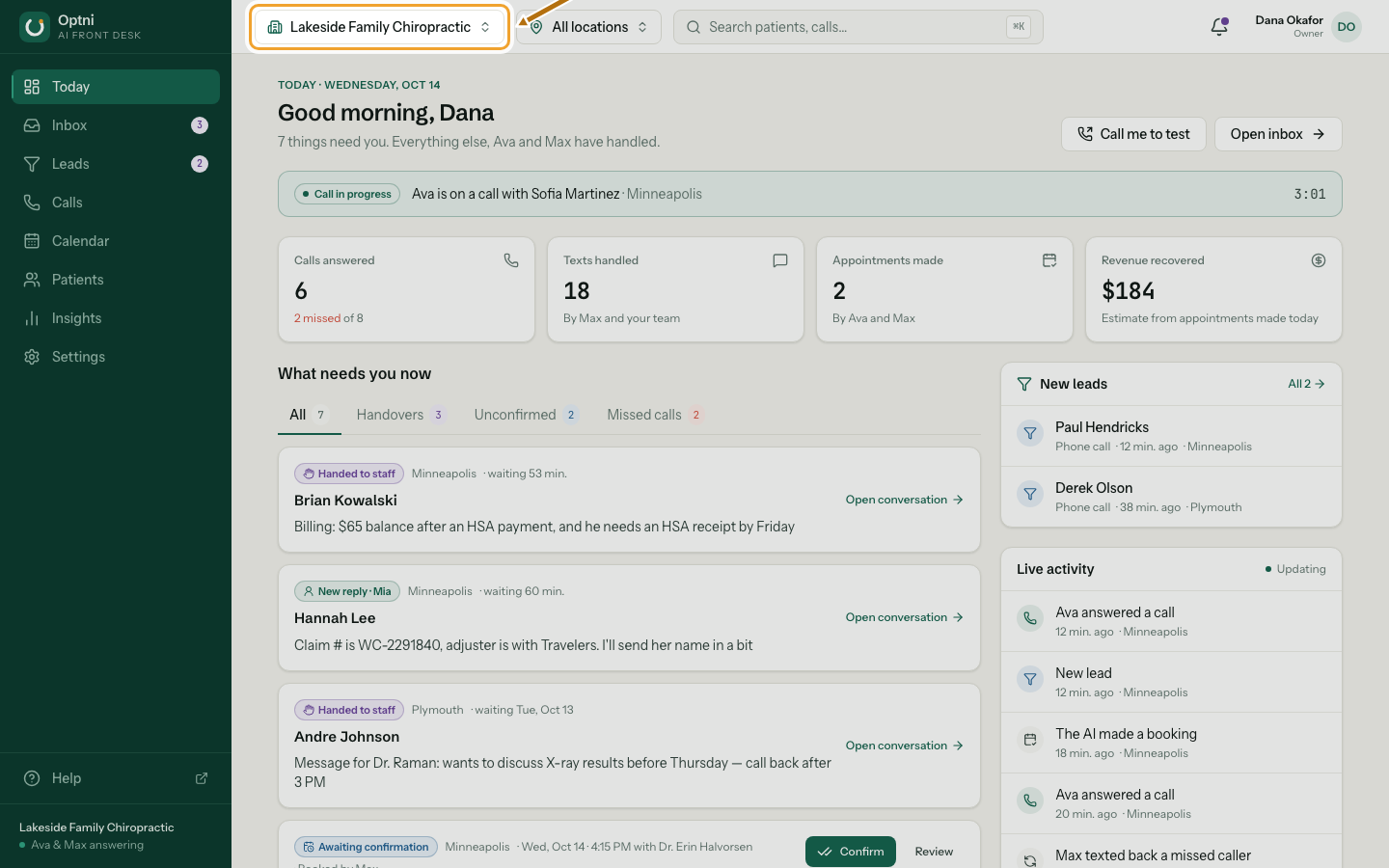
Step 1: Select the business name in the top bar.
It only shows when you belong to more than one business.
-
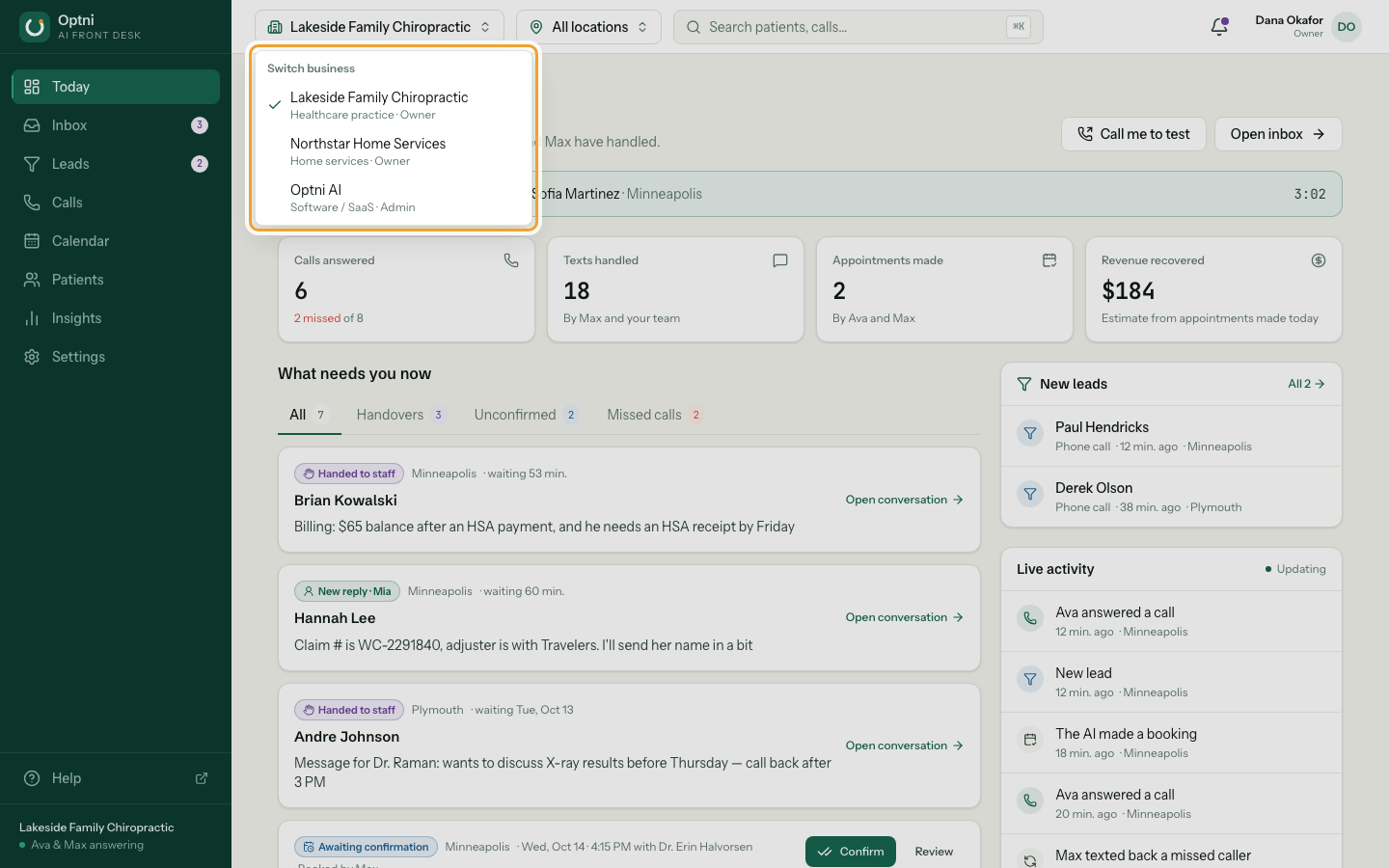
Step 2: Pick the business you want.
Each row shows the business, its industry and your role there. The dashboard reloads on Today.
-
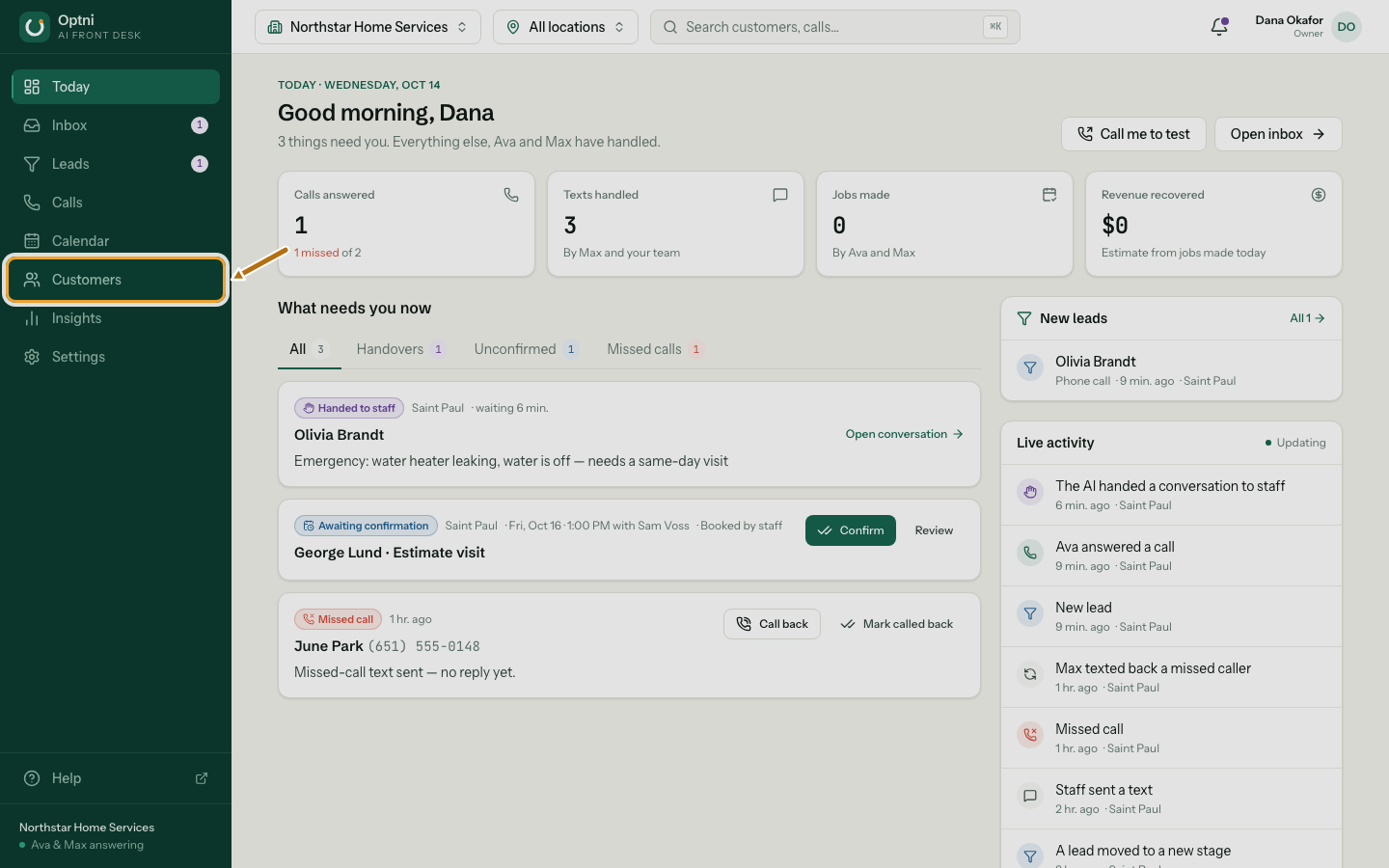
Step 3: Check the words change with the business.
A home-services business sees Customers, Jobs and Technicians instead of Patients, Appointments and Providers.
-
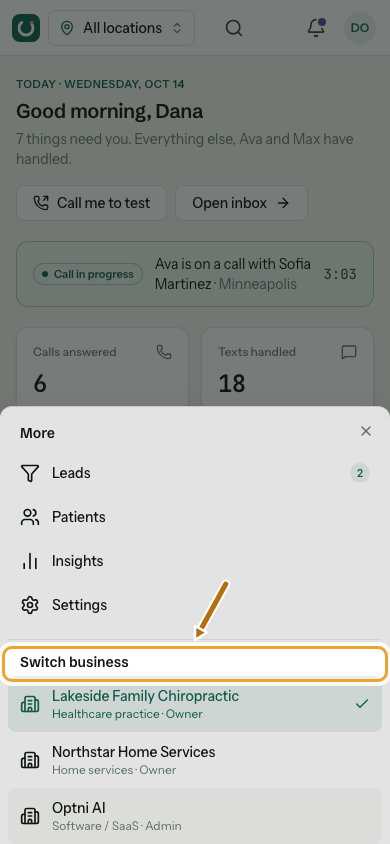
Step 4: On a phone, open More and pick the business under Switch business.
Good to know
- Sign-in opens the business you joined first. Switch whenever you need to.
- A notification from another business switches you to it before it opens.
- Two-step verification carries over when you switch.