Everyday work
Send a text to a customer
You can text any customer who hasn't opted out. The text goes from your location's business number, so replies come back to the same thread.
Steps
-
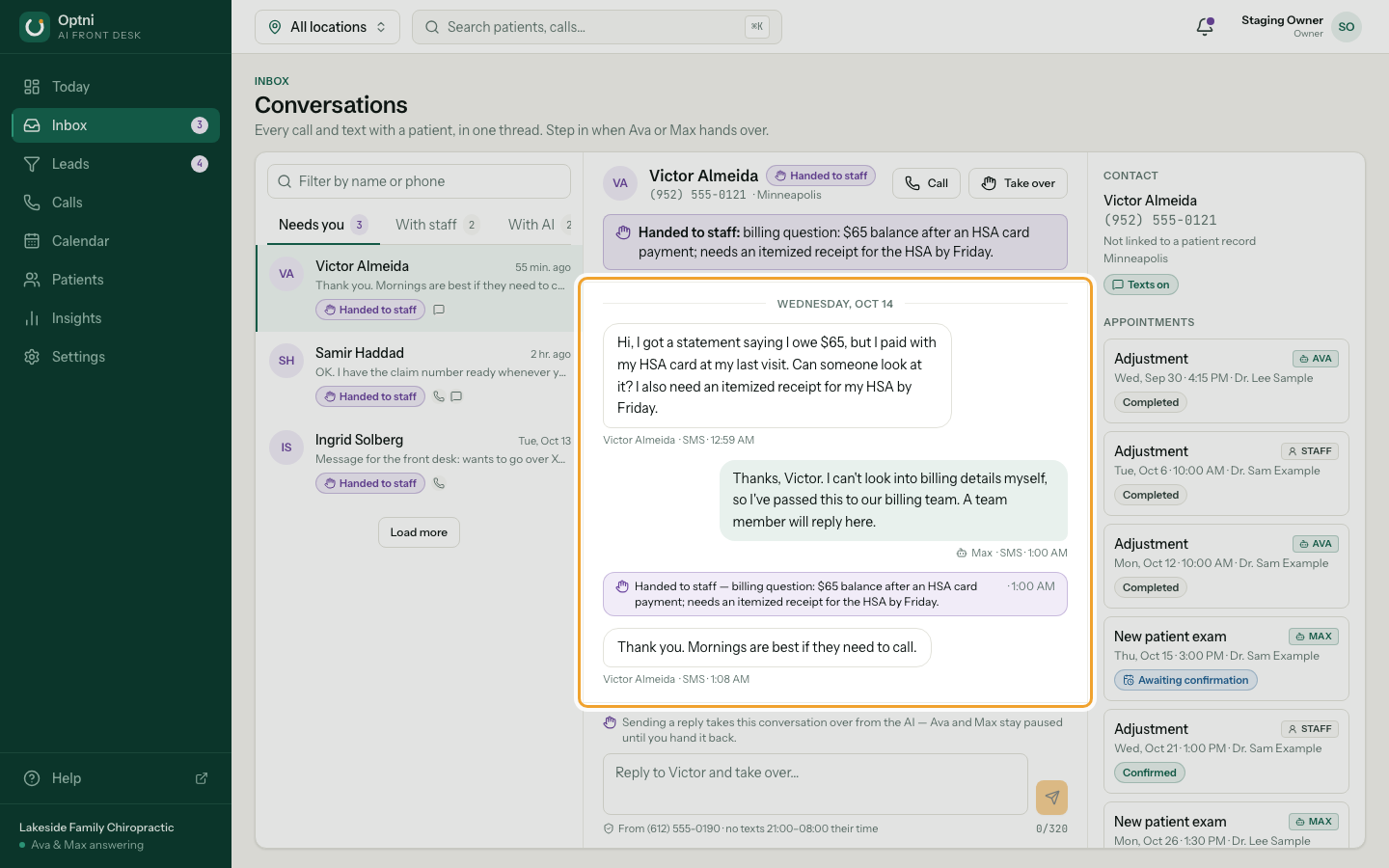
Step 1: Open the conversation in Inbox.
-
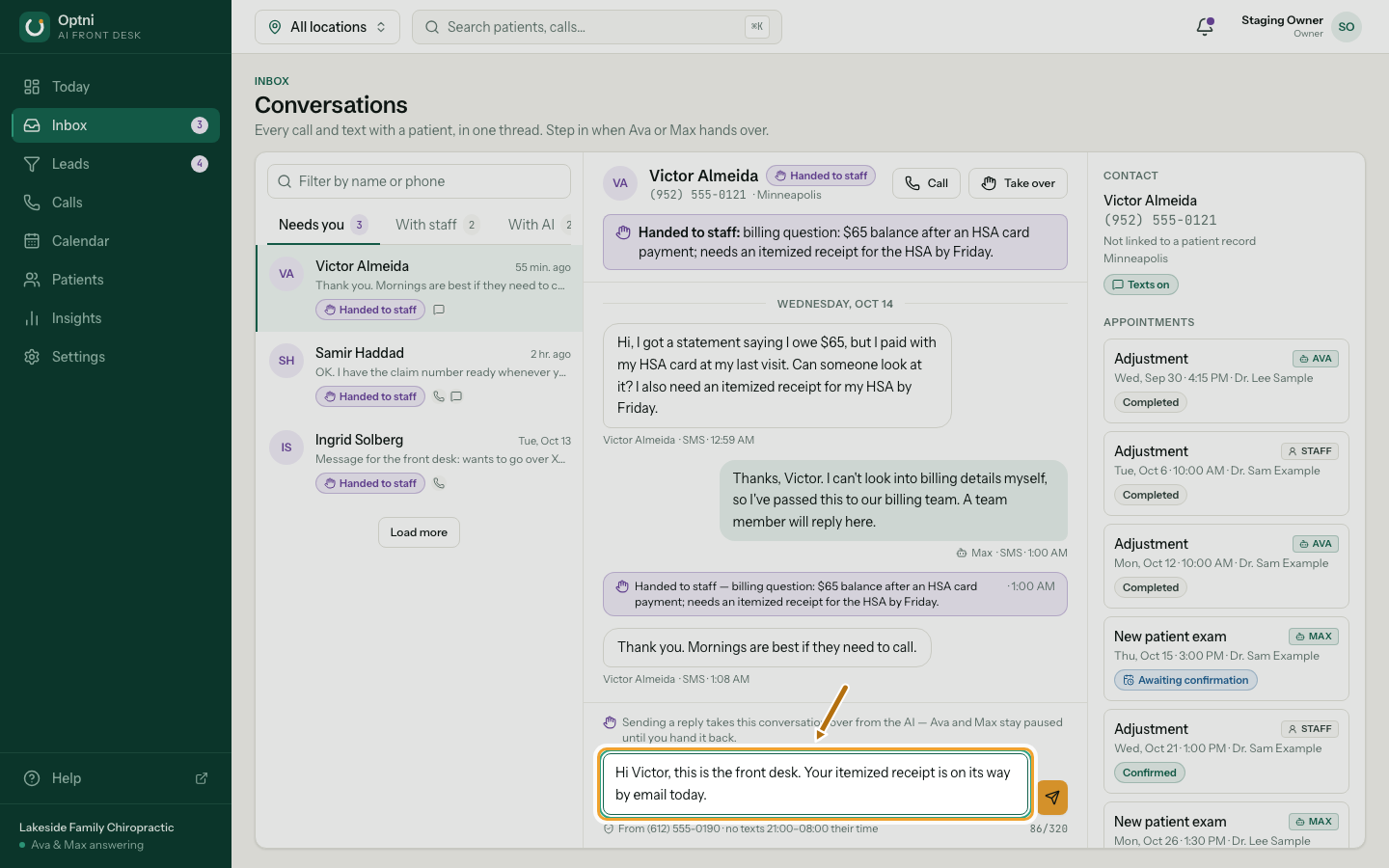
Step 2: Type your reply in the box at the bottom.
Up to 320 characters. Keep it short — it's a text.
-
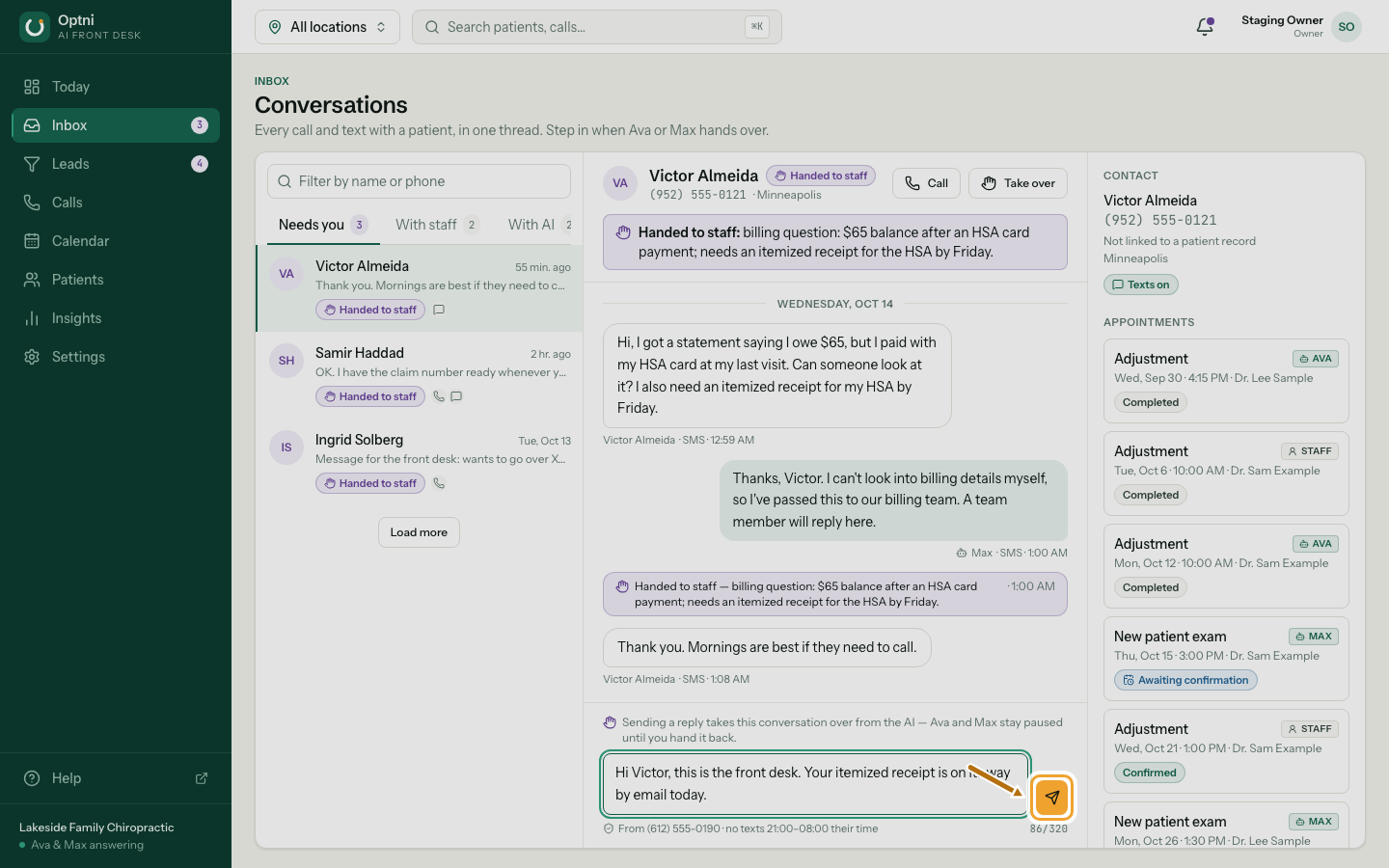
Step 3: Select the send button.
Or press Ctrl+Enter (⌘+Enter on a Mac). The note above the box reminds you that sending takes over from the AI.
Good to know
- The line under the box shows which number the text goes from.
- No texts go out between 9 PM and 8 AM in the customer's time zone. Ava and Max follow this too.
- If the customer replied STOP, the box is switched off. See Opted-out contacts.
- When you're done, hand the conversation back so Ava and Max take over again.