Leads, contacts and insights
Add a lead yourself
Add a lead when someone reaches you outside Optni. You create one record per phone number.
Steps
-
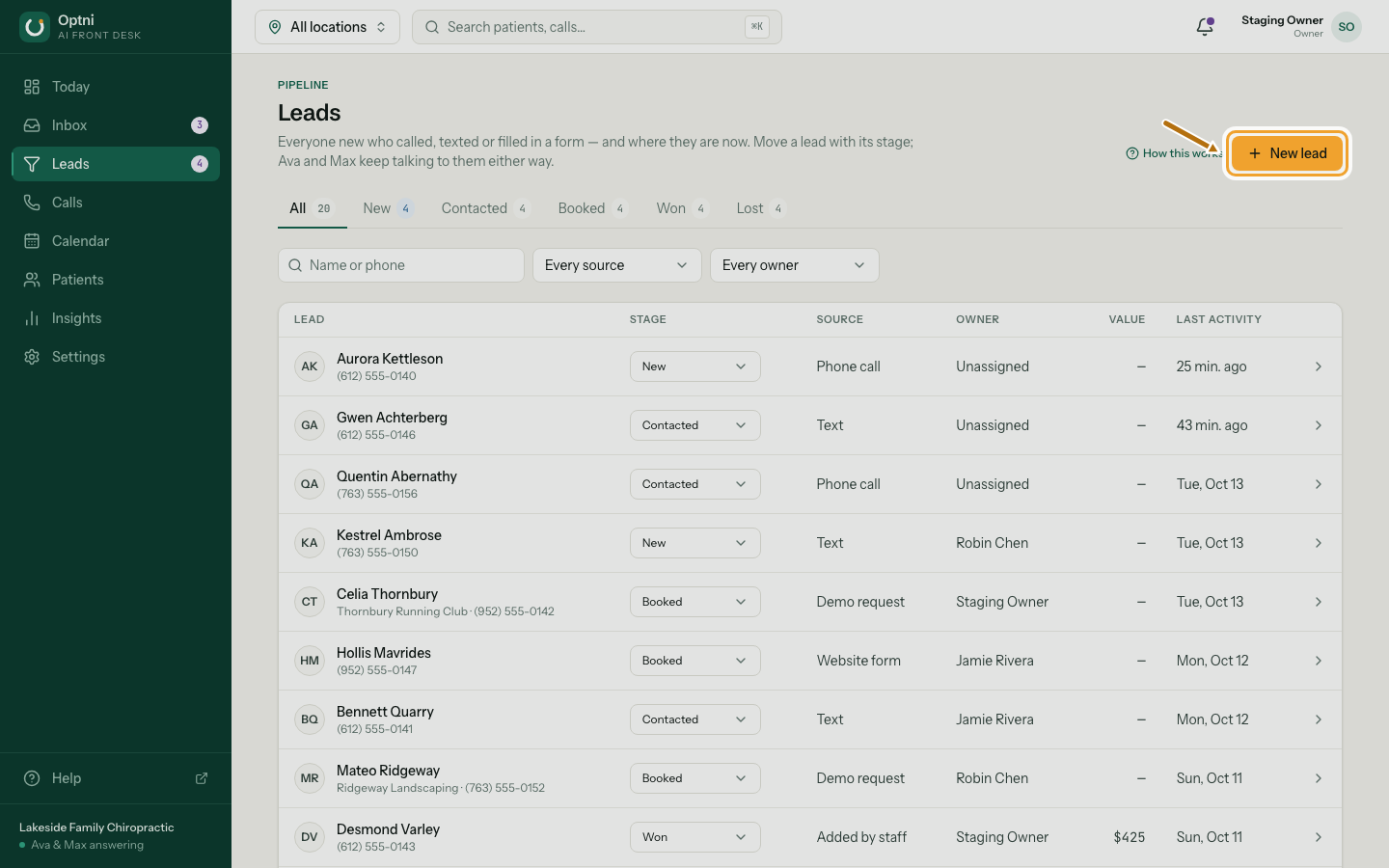
Step 1: In Leads, select New lead.
-
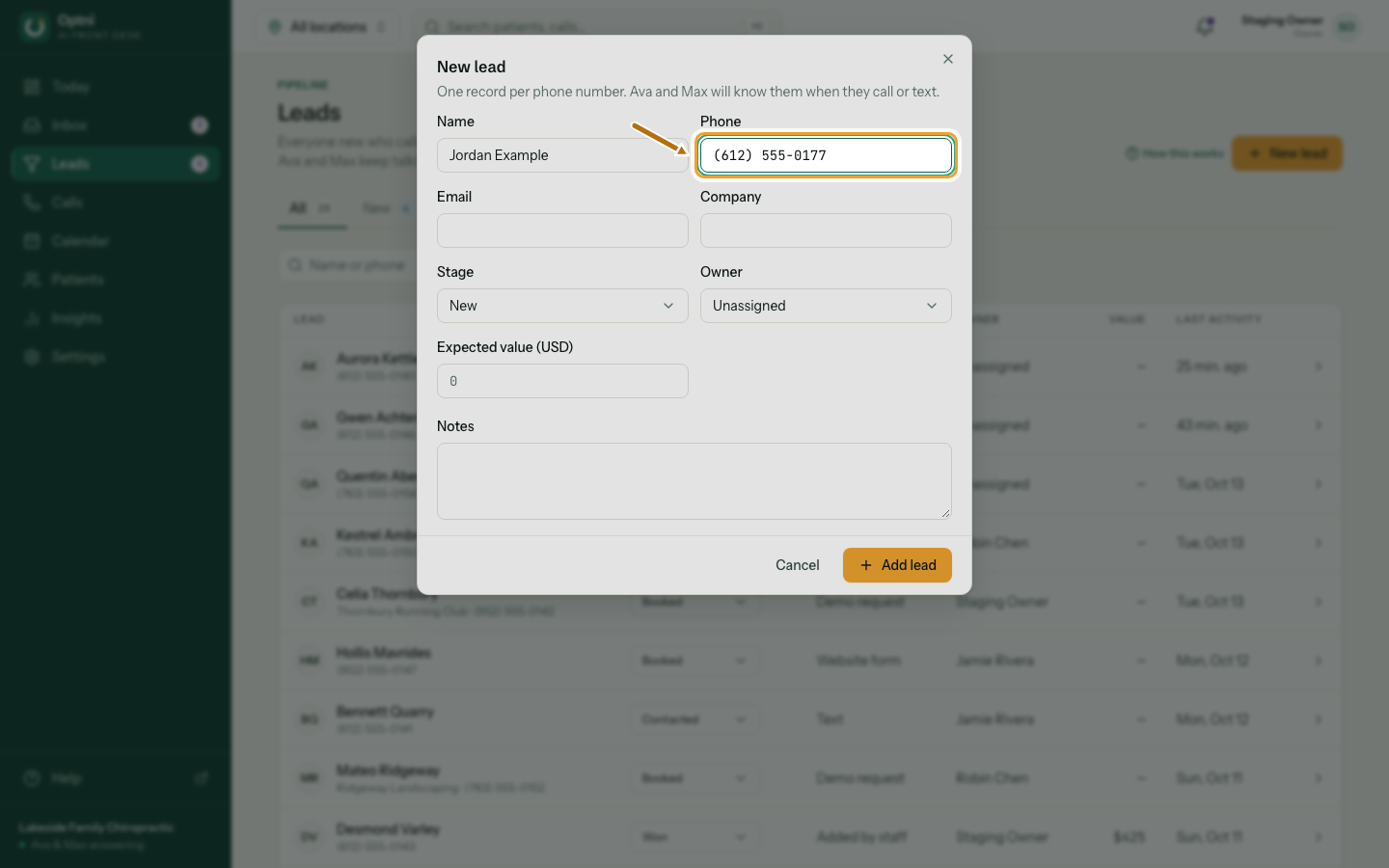
Step 2: Enter their name and phone number.
Email and company are optional.
-
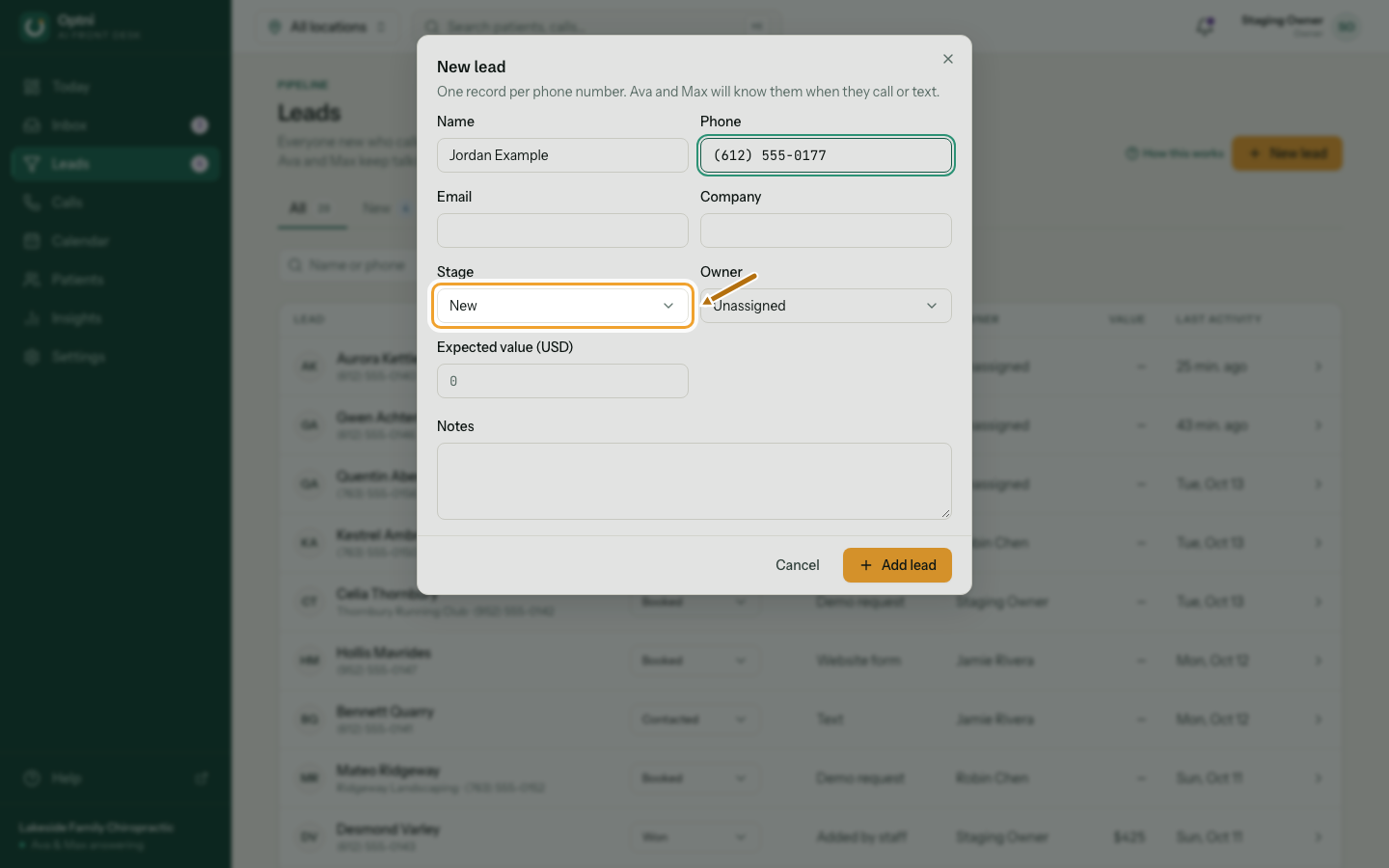
Step 3: Choose the stage and owner, and add value or notes if you know them.
-
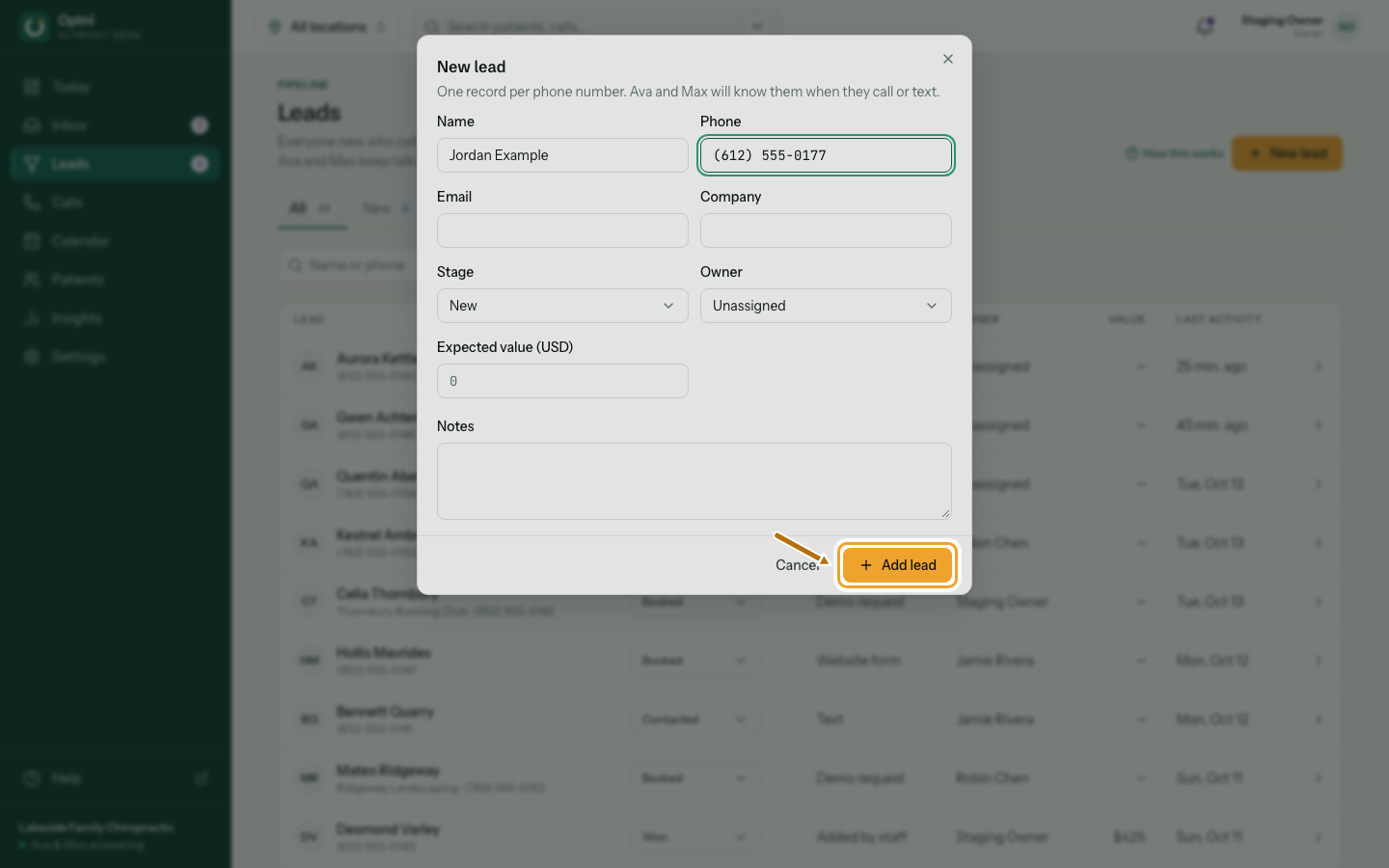
Step 4: Save the lead.
If that number is already a lead, Optni says so and links to it.