Getting started
Recovery codes
Recovery codes get you in when your phone is lost or reset. You get 10 when you set up your authenticator. Each works once.
Steps
-
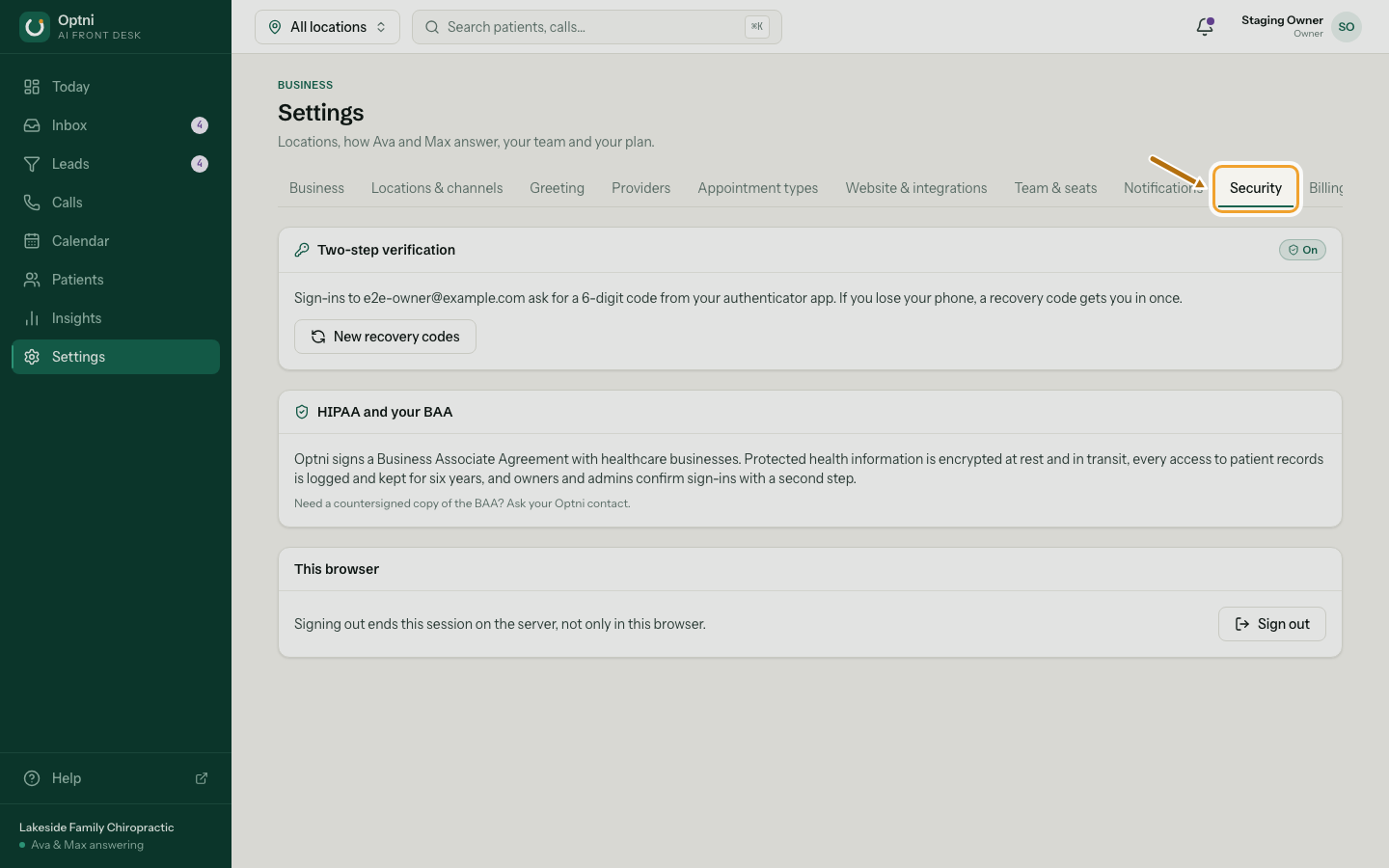
Step 1: Go to Settings → Security.
-
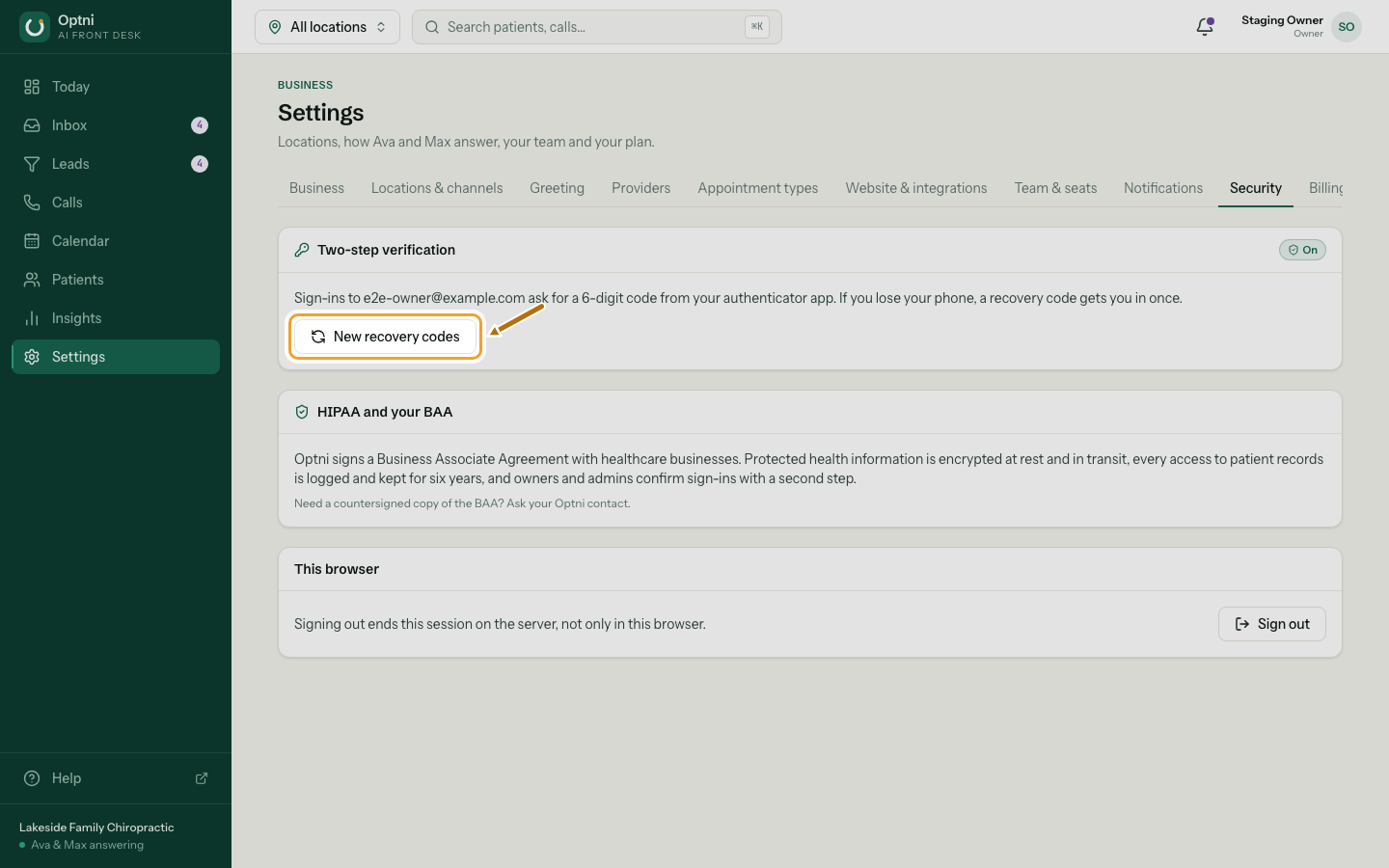
Step 2: Select New recovery codes.
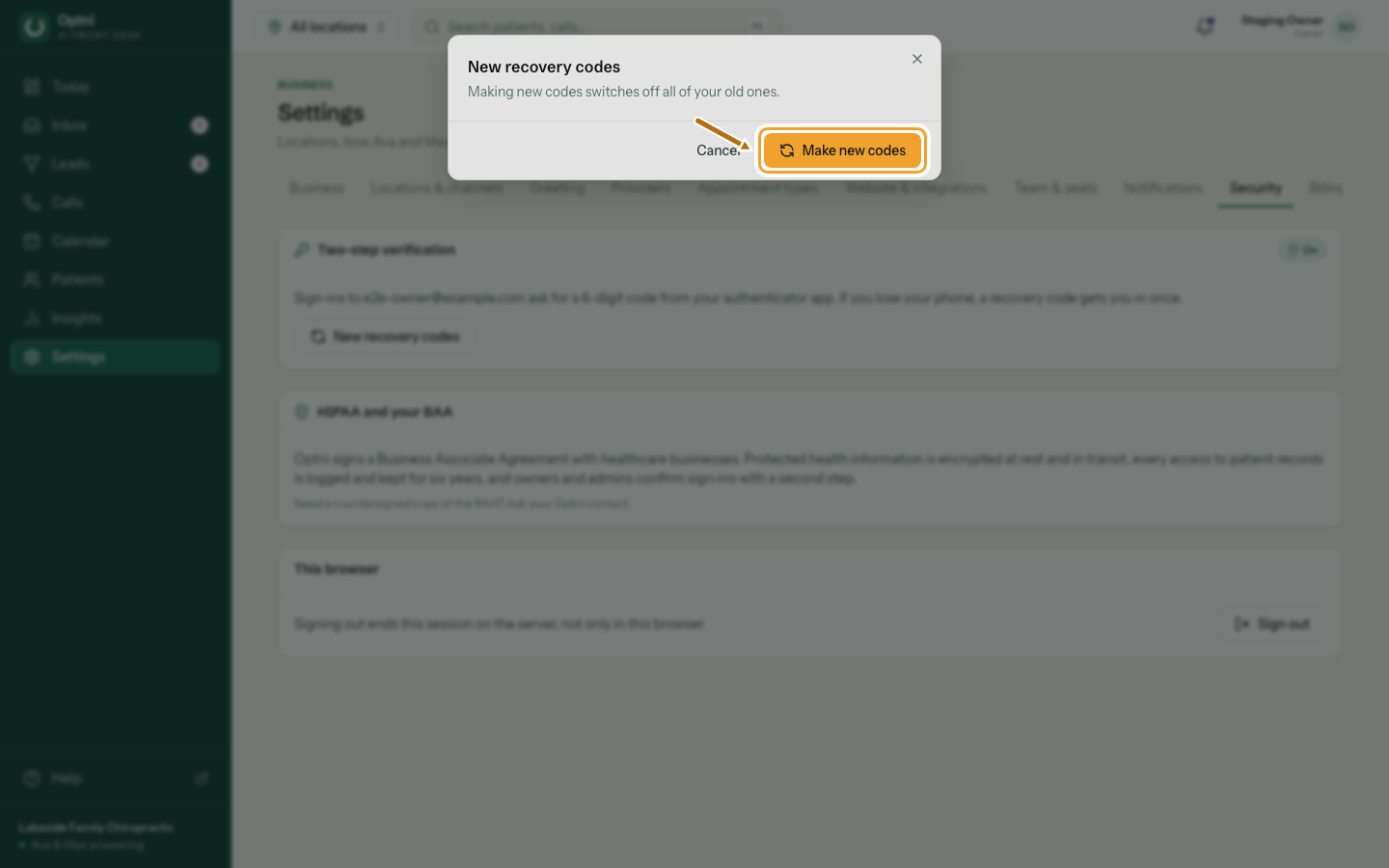
Making new codes switches off all of your old ones.
-
Step 3: Select Make new codes to confirm.
-
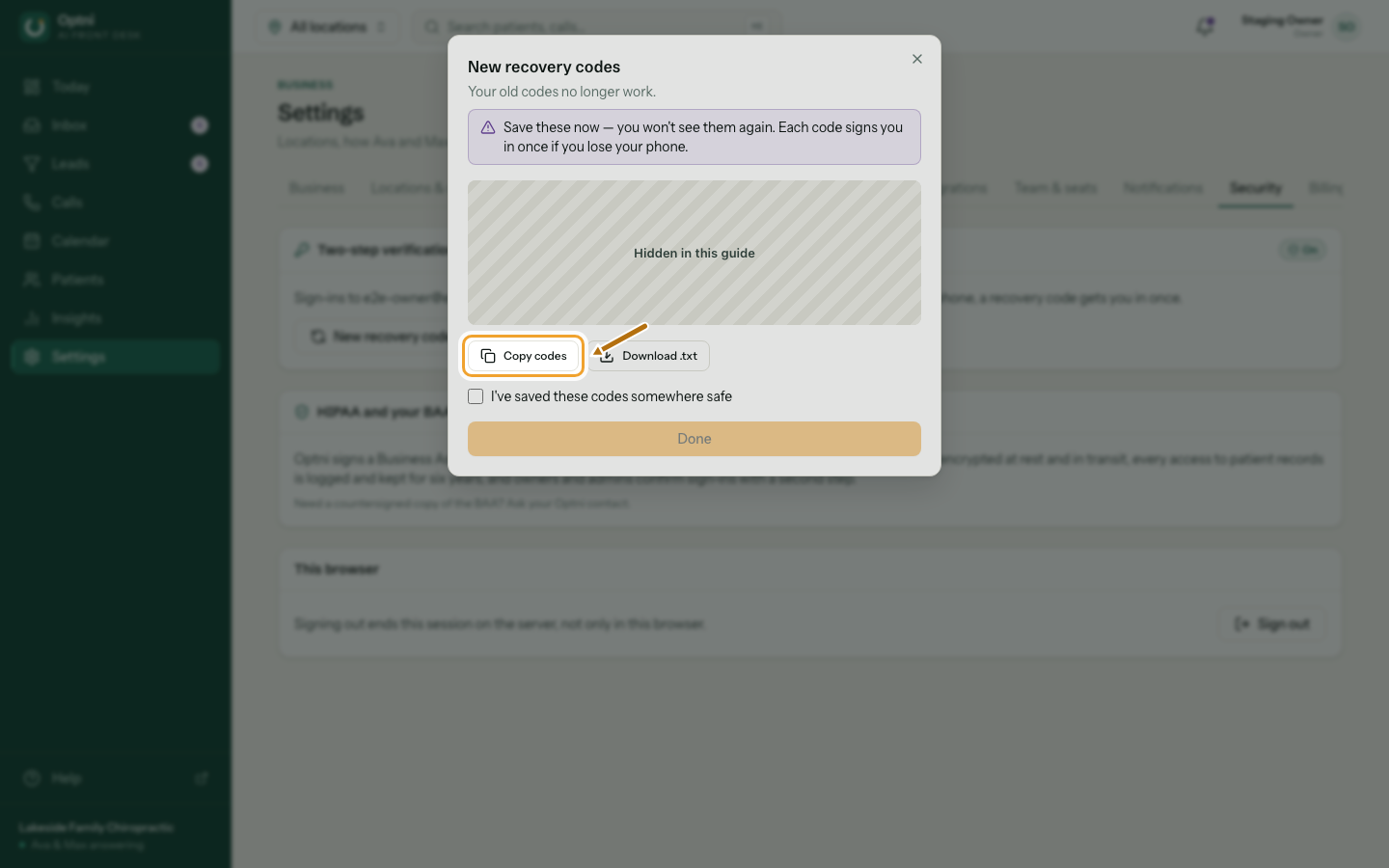
Step 4: Copy or download the codes and keep them safe.
Store them in a password manager or print them. Don't keep them only on the phone that has your authenticator.
Signing in with a recovery code
- Enter your email and password as usual.
- On the code step, select Use a recovery code instead and type one code.
- That code is now used up. Set up your authenticator again in Settings → Security and make new codes.
Lost your codes and your phone?
Ask the business owner, or contact Optni support. For your safety we confirm who you are before we reset two-step verification.